Import individual files
Use this workflow to convert many files in one run, where each input file produces its own ND2 output.
Example conversion:
file1.tiff -> file1.nd2
file2.tiff -> file2.nd2
file3.tiff -> file3.nd2
Unlike sequence import, files are not merged into one ND2.
Step 1: Open conversion and choose files
- From any page, click the arrow on the Image button.
- Select
Convert images.... - Choose one file from the target folder.
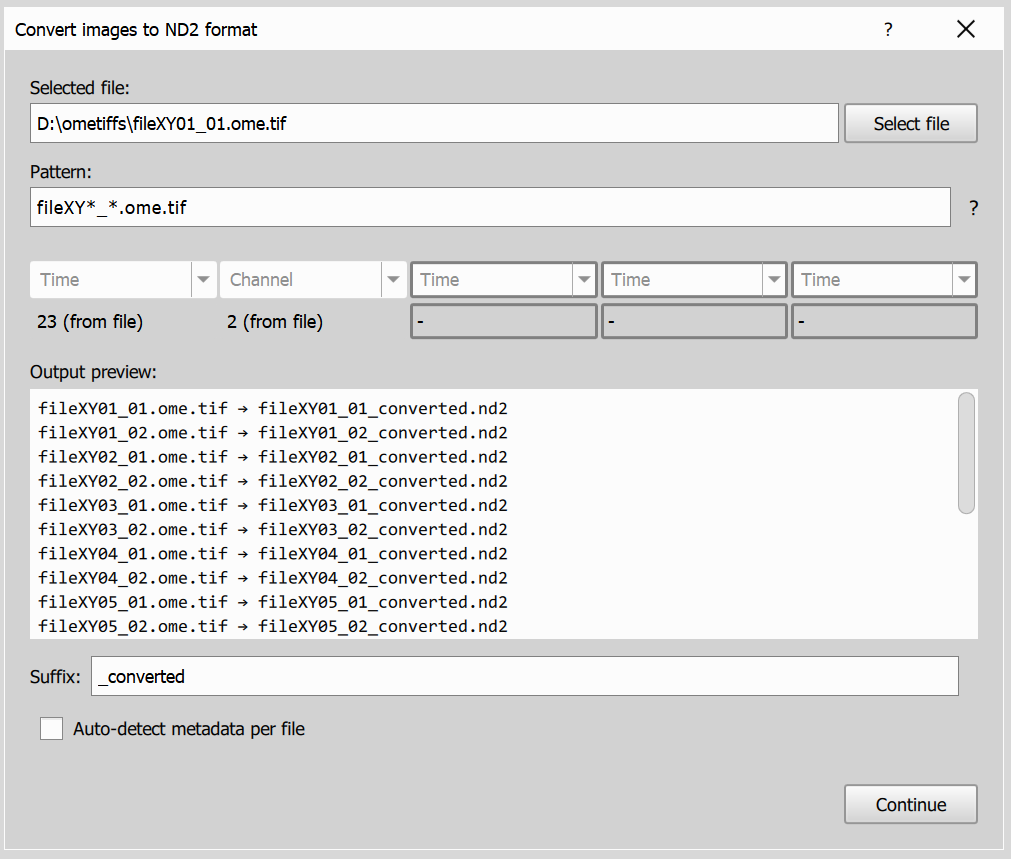
Page 1 lets you define which files will be converted:
- Selected file sets the starting point
- Pattern controls which files are included
- Dimensions mapping keeps interpretation consistent
- Output preview shows
input -> outputmapping - Suffix adds custom text to output names
Step 2: Metadata input page
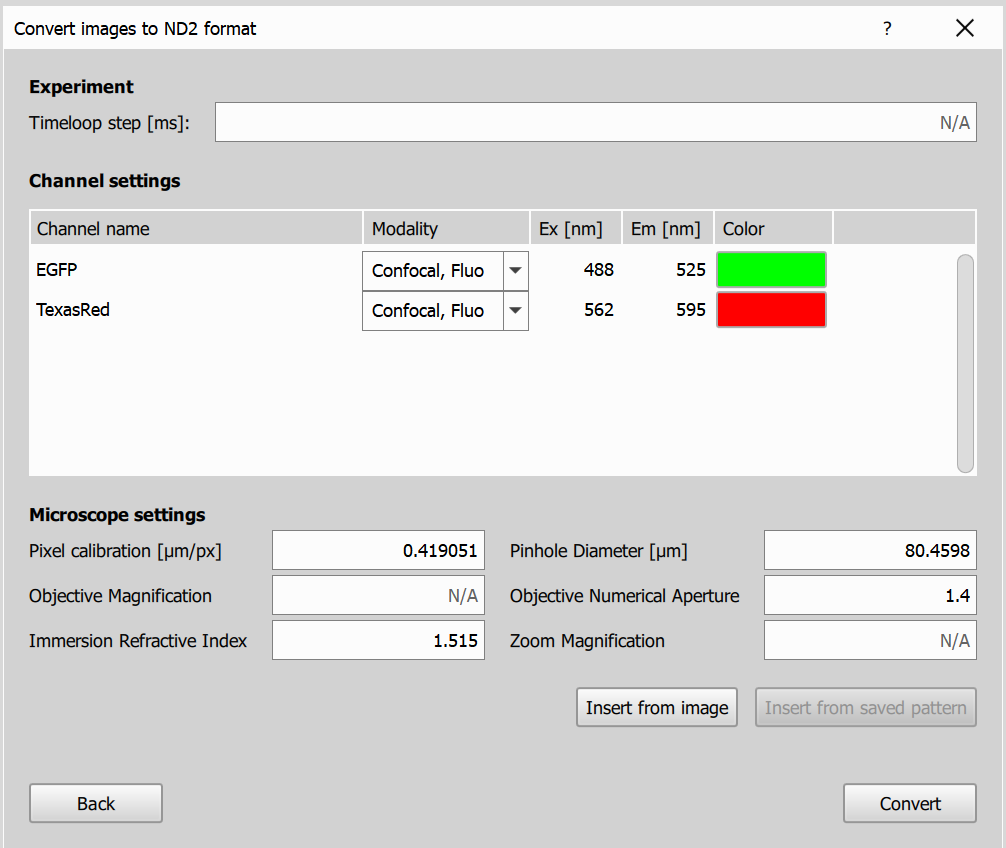
On this page you review and edit metadata for the batch conversion.
- Experiment settings let you define values like time interval, z-step, and channel-related metadata.
- Microscope settings let you define acquisition details used for output ND2 files.
After setting metadata, click Convert to start conversion.
Step 3: Conversion progress and results
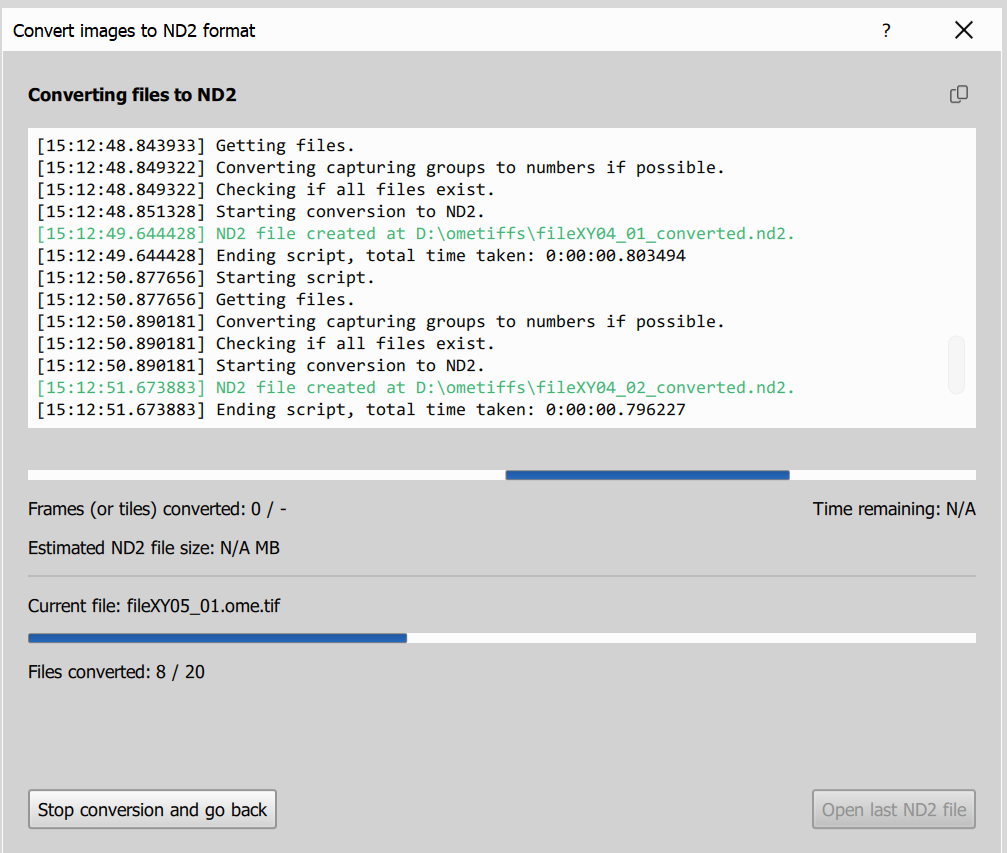
On this page, you can monitor the current file being converted, overall progress (done / total), and the conversion log. If one file fails, the batch continues with the remaining files.
After conversion, a summary shows how many files were converted, failed, and processed in total.
Open ND2 file opens the last successfully converted file.