Measurement
Measurement nodes have typically one binary input and optional intensity inputs. They output one table. All measurements can calculate custom features defined by user equation using other features.
Basic
Control dialog
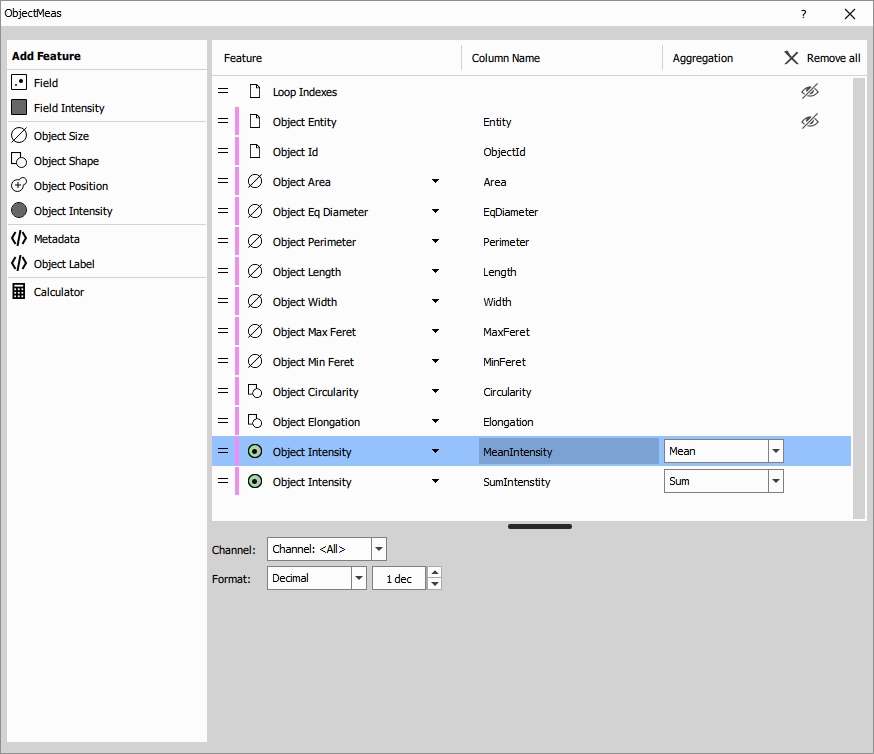
The settings control dialog of the basic nodes is similar. It has these main parts:
- Current feature list (the main part)
- The list of features to be measured. Each row corresponds to a column in the output table.
Each row contains:
- handle for dragging the row for changing it’s order,
- color bar indicating the binary which it is measure on,
- symbol (or color disk/square for intensity) indicating type of feature,
- the feature and it’s dropdown selector,
- column name that can be changed,
- aggregation if applicable,
- visibility toggle and
- remove button.
- Feature palette (on the left side)
- organized into groups from where the features are added.
- Selected feature settings (at the bottom)
- contains settings for the selected item. For example: numeric features contain formatting option, intensity contain channel section, ratiometry features have two channels…
Calculator
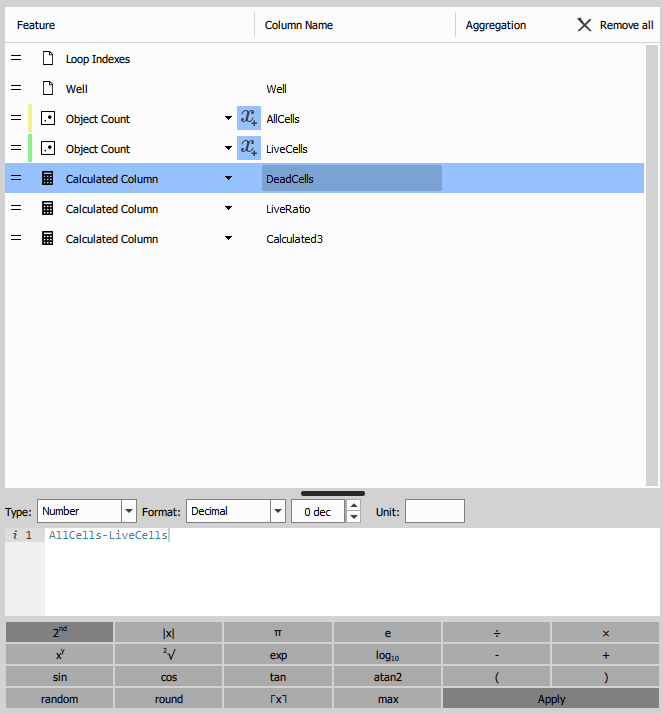
Measurement nodes below can create Node UI using calculator.
When a row with calculated feature is selected a calculator appears and measured features display a button that inserts that particular feature into the expression editor.
See also: Calculated Column.
Field, Volume
The node measures intensity (incl. ratiometric) features of 2D frames.
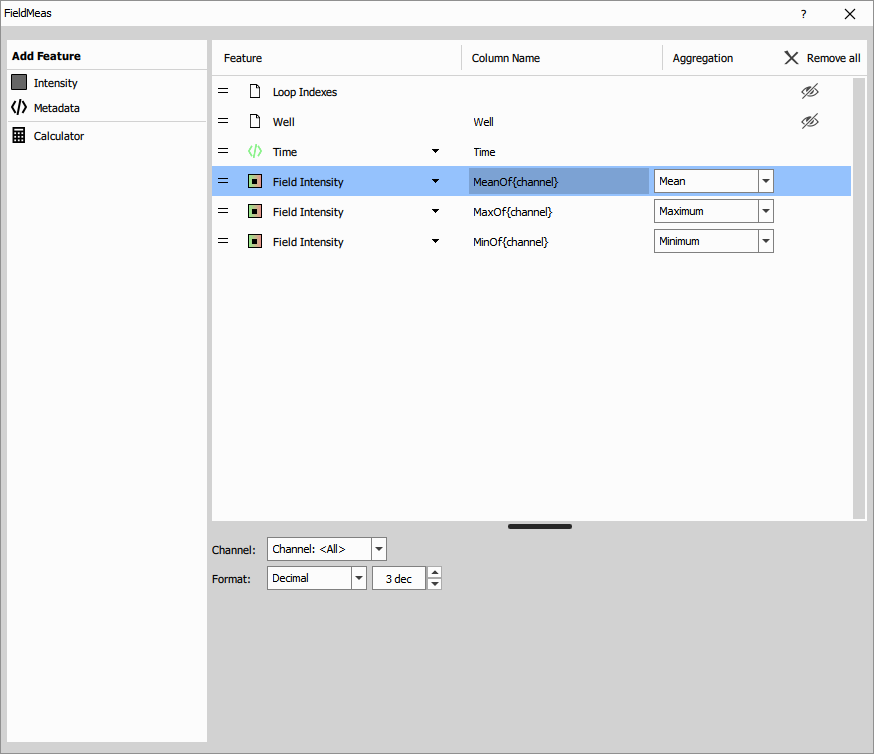
It produces a table where every row corresponds to a field (input A1 - Channel) which can be restricted by an optional mask (input M - Binary).
The columns are the selected measured features:
- loop indexes for book keeping (one-based),
- intensity aggregates intensity and ratio features for whole frame,
- metadata features which can vary per frame and
- calculated features that are defined by an equation that uses the above.
Field measurements are typically performed during time or under different condition. For example in Calcium, FRET, FRAP experiments.
Parameters
See also: Basic (group)
Object
The node measures object features such as: size, shape, intensity and position of objects (spots, nuclei, cells or animals).
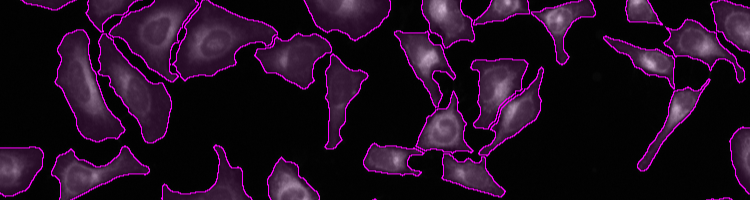
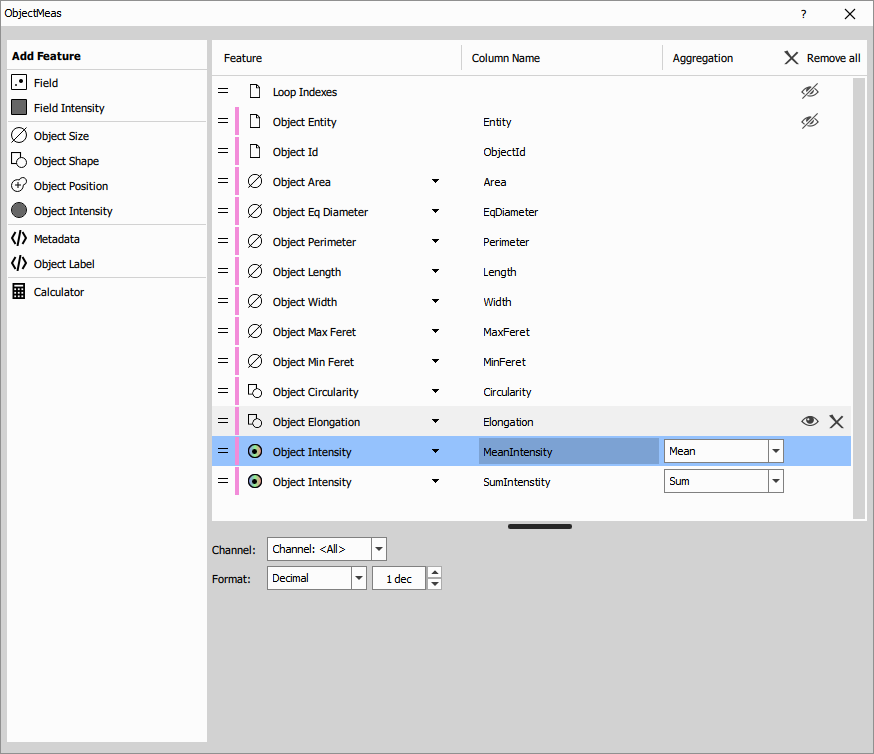
It produces a table where every row corresponds to an object (input A1 - Binary). Intensities are taken from optional channels (input B1, … - Channels).
The columns are the selected measured features:
- loop indexes for frame book keeping (one-based),
- object id and entity for object book keeping,
- field object aggregates per frame such as: Count, Measured area, Area fraction, …,
- field object intensity aggregates like intensity and ratio for whole frame,
- object size features such as Area, Equivalent Diameter, Length, …,
- object shape features such as Circularity, Elongation, Roughness, …
- object position features such as in Frame or on Stage,
- object intensity aggregates per object intensity and ratio,
- metadata features which can vary per frame or whole file and
- calculated features that are defined by an equation that uses the above features.
Parameters
See also: Basic (group)
Object Count
The node counts object and measures aggregated object features (mean, min, max, standard deviation, etc.) for all objects on the frame.
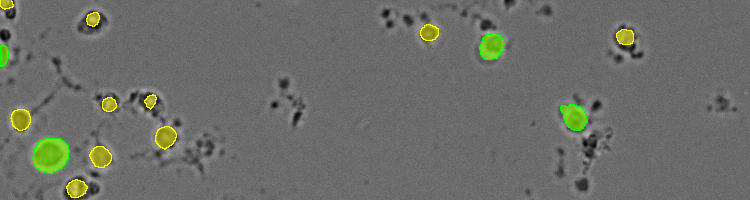
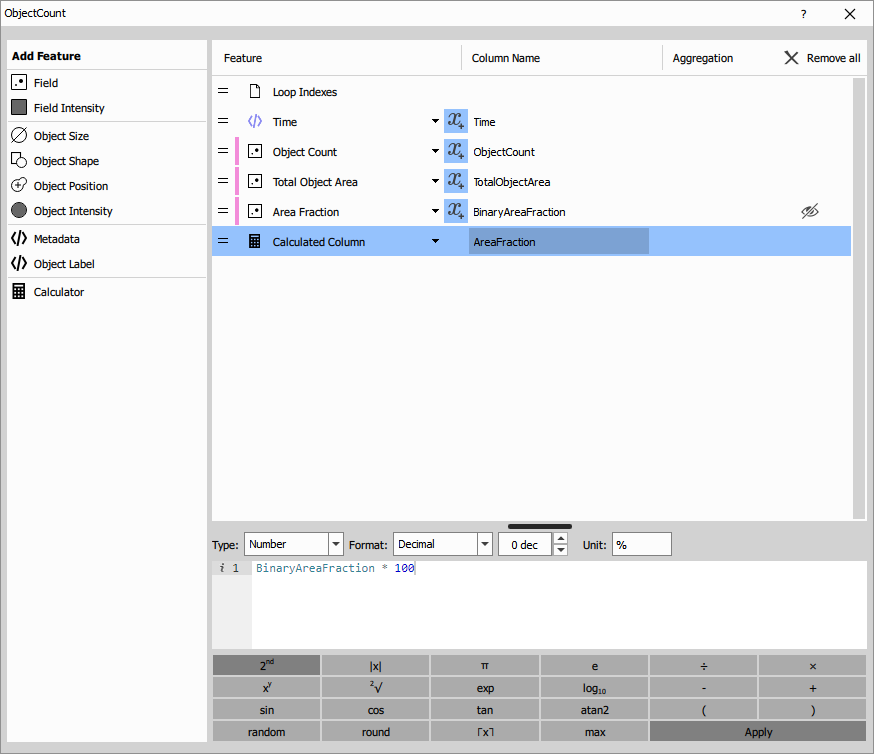
It produces a table where every row corresponds to a field. Multiple Binaries may be connected (input A, … - Binary). Intensities are taken from optional channels (input B1, … - Channels).
The columns are the selected measured features:
- loop indexes for book keeping (one-based),
- object entity for book keeping,
- field object aggregates per frame such as: Count, Measured area, Area fraction, …,
- field object intensity aggregates like intensity and ratio for whole frame,
- object size features such as Area, Equivalent Diameter, Length, …,
- object shape features such as Circularity, Elongation, Roughness, …
- object position features such as in Frame or on Stage,
- object intensity aggregates per object intensity and ratio,
- metadata features which can vary per frame or whole file and
- calculated features that are defined by an equation that uses the above features.
The prime use of this node is counting one or multiple binaries – classes of objects.
Parameters
See also: Basic (group)
Children
The node measures children object features and aggregates with respect to parent objects. Parent objects features can be measured too.
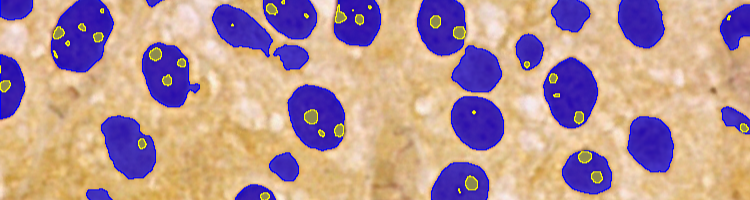
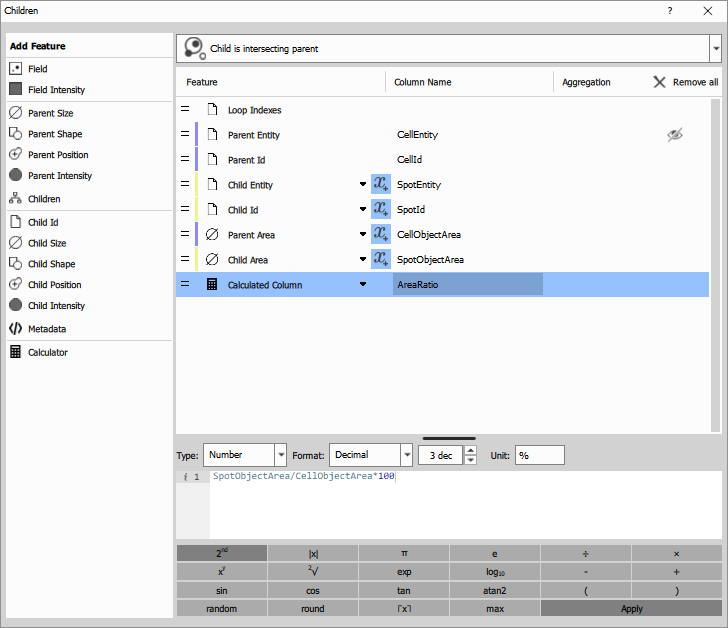
It produces a table where every row corresponds to a child object (input B - Binary). A child object is inside, touching or in a zone of influence of it’s parent object (input A - Binary). Intensities are taken from optional channels (input C1, … - Channels).
The columns are the selected measured features:
- loop indexes for book keeping (one-based),
- parent object id and entity for book keeping,
- field object aggregates per frame for parent and children such as: Count, Measured area, Area fraction, …,
- field object intensity aggregates like intensity and ratio for whole frame,
- parent object size features such as Area, Equivalent Diameter, Length, …,
- parent object shape features such as Circularity, Elongation, Roughness, …,
- parent object position features in Frame or on Stage,
- parent object intensity aggregate per object intensity and ratio,
- children object and intensity aggregates per parent such as: Count, Area fraction, Intensity and ratio aggregates,
- child object id and entity for book keeping,
- child object size features such as Area, Equivalent Diameter, Length, …,
- child object shape features such as Circularity, Elongation, Roughness, …,
- child object position features in Frame or on Stage,
- child object intensity aggregate per object intensity and ratio,
- metadata features which can vary per frame or whole file and
- calculated features that are defined by an equation that uses the above features.
Parameters
See also: Basic (group)
Parent
The node measures parent object features and aggregates of its children.
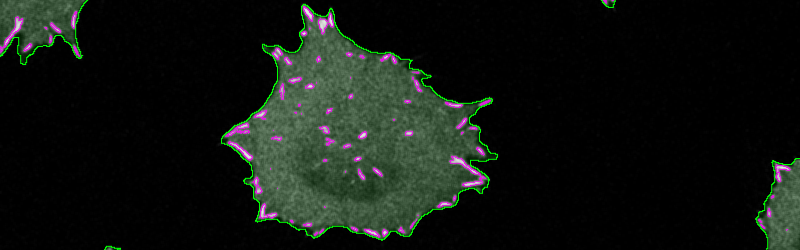
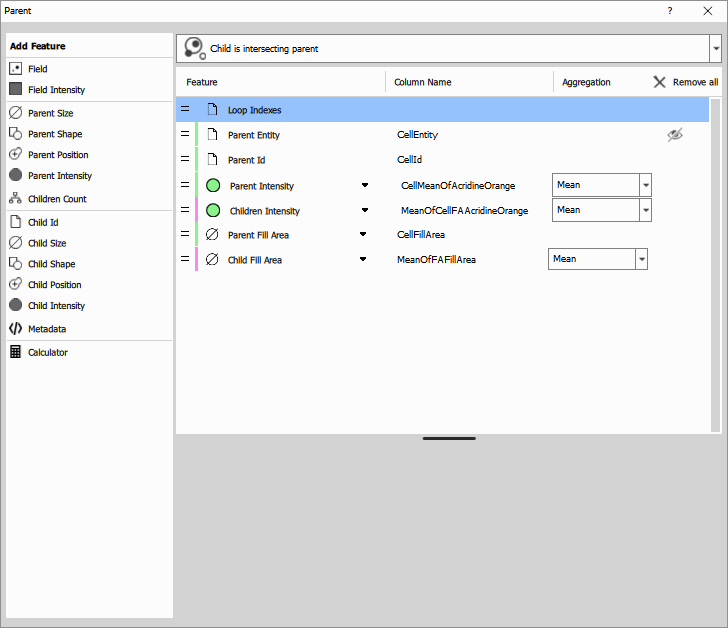
It produces a table where every row corresponds to a parent object (input A - Binary). Children object (input B - Binary) features are aggregated per parent. A child object (input B - Binary) is inside, touching or in a zone of influence of it’s parent object. Intensities are taken from optional channels (input C1, … - Channels).
The columns are the selected measured features:
- loop indexes for book keeping (one-based),
- parent object id and entity for book keeping,
- field object aggregates per frame for parent and children such as: Count, Measured area, Area fraction, …,
- field object intensity aggregates like intensity and ratio for whole frame,
- parent object size features such as Area, Equivalent Diameter, Length, …,
- parent object shape features such as Circularity, Elongation, Roughness, …,
- parent object position features in Frame or on Stage,
- parent object intensity aggregate per object intensity and ratio,
- children object count aggregates per parent,
- children object id and entity aggregates per parent for book keeping,
- children object size aggregates per parent features such as Area, Equivalent Diameter, Length, …,
- children object shape aggregates per parent features such as Circularity, Elongation, Roughness, …,
- children object position aggregates per parent features in Frame or on Stage,
- children object intensity aggregates per parent and child intensity and ratio,
- metadata features which can vary per frame or whole file and
- calculated features that are defined by an equation that uses the above features.
Parameters
See also: Basic (group)
Cell
The node measures all the object features for the whole cell, nucleus and some on cytoplasm. It can quantify optional spots in all these compartments.
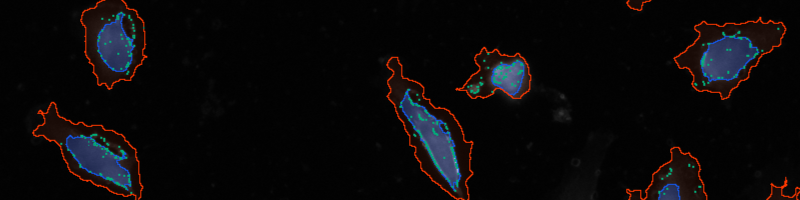
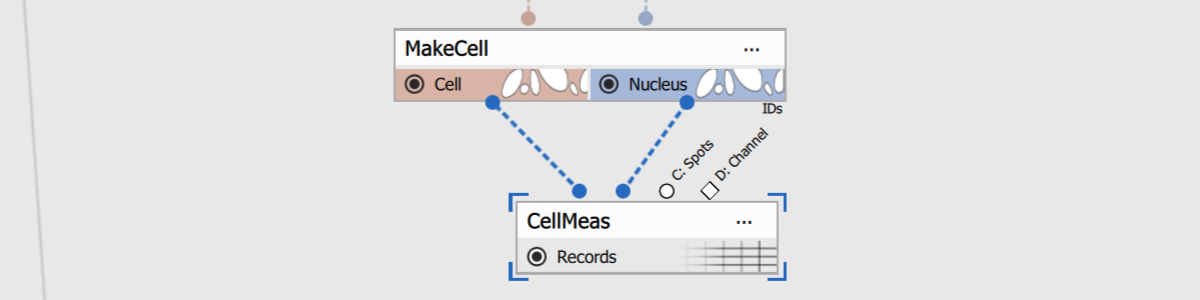
It produces a table where every row corresponds to a cell. The cell is composed of Nucleus and Cell in 1:1 relation. The measurement node creates Cytoplasm internally (as binary subtraction Cell - Nucleus) to perform measurements on it.
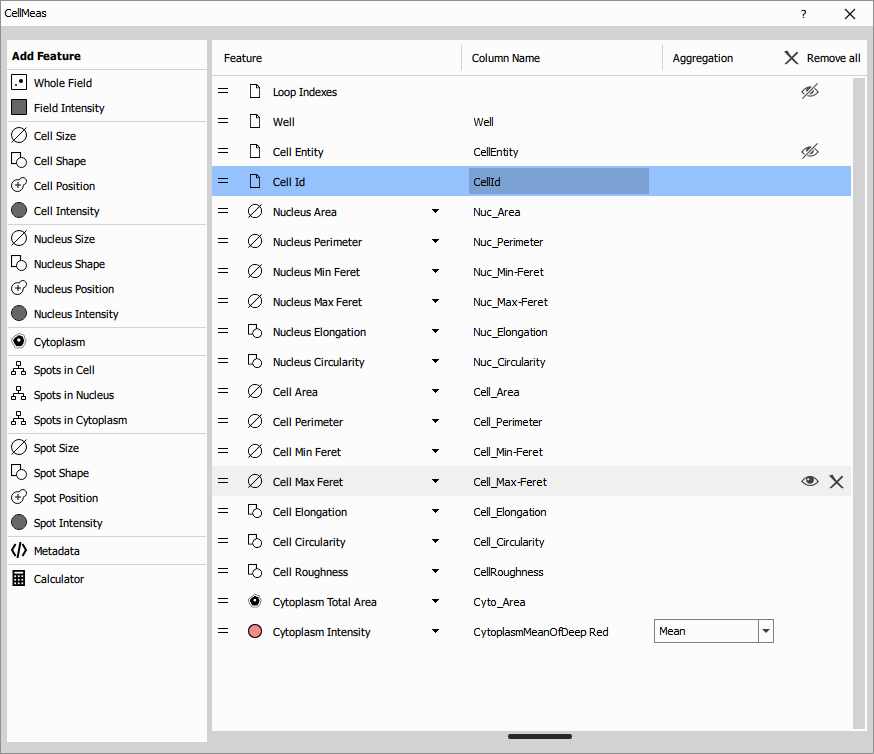
The columns are the selected measured features:
- loop indexes for book keeping (one-based),
- cell id and entity for book keeping,
- field object aggregates per frame for parent and children such as: Count, Measured area, Area fraction, …,
- field object intensity aggregates like intensity and ratio for whole frame,
- cell size features such as Area, Equivalent Diameter, Length, …,
- cell shape features such as Circularity, Elongation, Roughness, …,
- cell position features in Frame or on Stage,
- cell intensity aggregate per cell of intensity and ratio,
- nucleus size features such as Area, Equivalent Diameter, Length, …,
- nucleus shape features such as Circularity, Elongation, Roughness, …,
- nucleus position features in Frame or on Stage,
- nucleus intensity aggregate per nucleus intensity and ratio,
- limited cytoplasm aggregates such as Pixel Area, Area fraction and Intensity,
- limited spots aggregates per each compartment features such as Count, Pixel Area and Intensity,
- spot size aggregates per cell of features such as Area, Equivalent Diameter, Length, …,
- spot shape aggregates per cell of features such as Circularity, Elongation, Roughness, …,
- spot position aggregates per cell of features in Frame or on Stage,
- spot intensity aggregates per cell of intensity and ratio,
- metadata features which can vary per frame or whole file and
- calculated features that are defined by an equation that uses the above features.
Parameters
See also: Basic (group)
Intensity Distribution
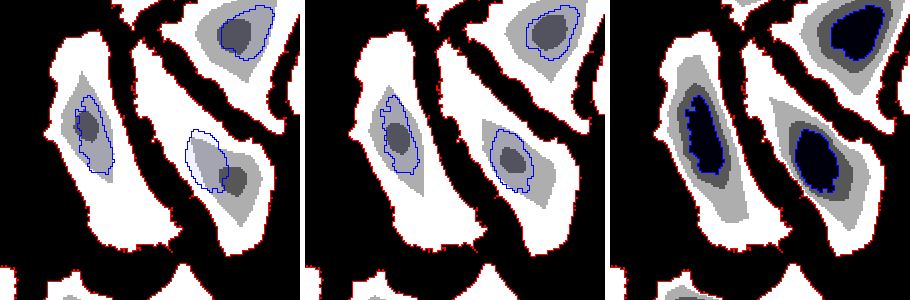
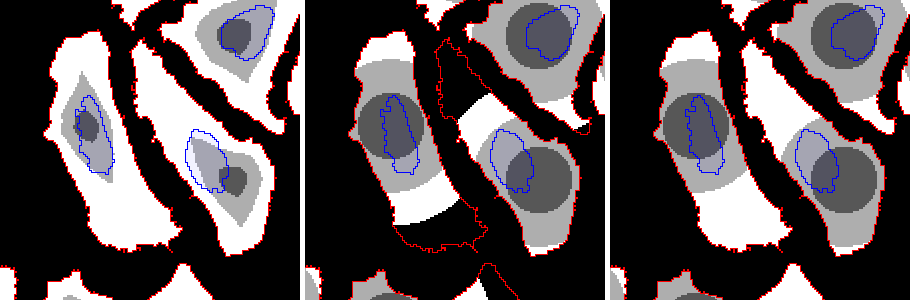
The node measures the spatial distribution of intensity within each object by dividing the object into radial bins.
It produces a table with the selected measurements for each bin and a channel output where pixel values encode the ring index for the measured radial regions.
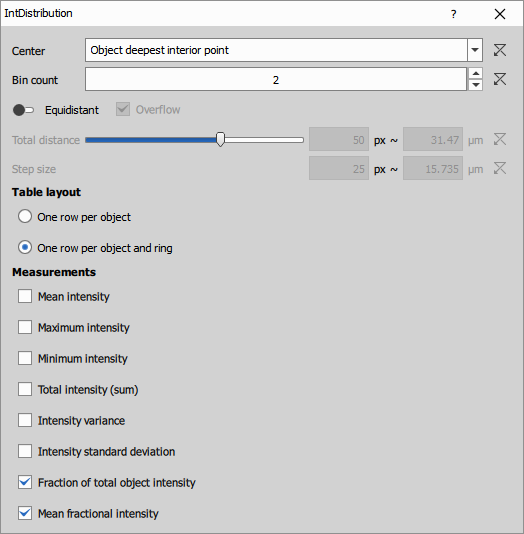
- Center selects how the radial profile is anchored. The bins can start from the object deepest interior point, or from a related inner object such as a nucleus. This is useful for measurements like nucleus-to-cytoplasm translocation.
- Bin count sets the number of radial bins. Bin
1is the innermost region and the highest-numbered bin is the outermost region. - Equidistant uses bins with the same radial width. When disabled, the binning can follow the normalized object shape so corresponding bins represent comparable relative positions within each object.
- Overflow includes pixels beyond the requested distance range in the last bin instead of discarding them.
Total distance, Step size define the analyzed radial range. Specify the full measured distance or the distance increment between neighboring bins.
Table layout controls whether bin-wise results are written as separate columns in one row per object, or as separate rows with one row per bin.
Measurements selects which radial features are reported for each bin, typically including fraction of total intensity, mean fractional intensity, and within-bin intensity variation.
Mean intensity, Maximum intensity, Minimum intensity, Total intensity (sum), Intensity variance, and Intensity standard deviation are standard statistics of the intensity values within the ring.
Fraction of total object intensity is the fraction of the object’s total intensity that falls into the current ring:
where is the intensity of pixel .
Mean fractional intensity normalizes the intensity fraction by the fraction of object pixels in that ring:
where is the fraction of total object intensity in ring.
Parameters
Input
A0 (Binary, Optional)
A1 (Binary, Optional)
B0 (Channel)
Output
R0 (Table)
R1 (Channel)
Control
mode (Number)
code (Text)
refresh (Number)
environmentDesc (Text)
outprocType (Number)
environmentName (Text)
outprocPath (Text)
editingOutsidePath (Text)
editingOutsideEnabled (Number)
pyParDefs (Text)
devModeKey (Text)
description (Text)
P0 (Text)
P1 (Number)
P2 (Number)
P3 (Number)
P4 (Number)
P5 (Text)
P6 (Text)
See also: Basic (group)
Estimates
Shift Estimate
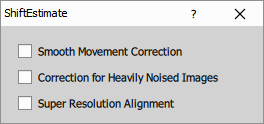
Outputs the X and Y shift estimates (in px and µm) for the selected correction method.
Parameters
SNR Estimate
Estimates the Signal to Noise Ratio (SNR) value present in the connected color result.
Metadata
Global
The node extracts global metadata. Global refers to whole file.
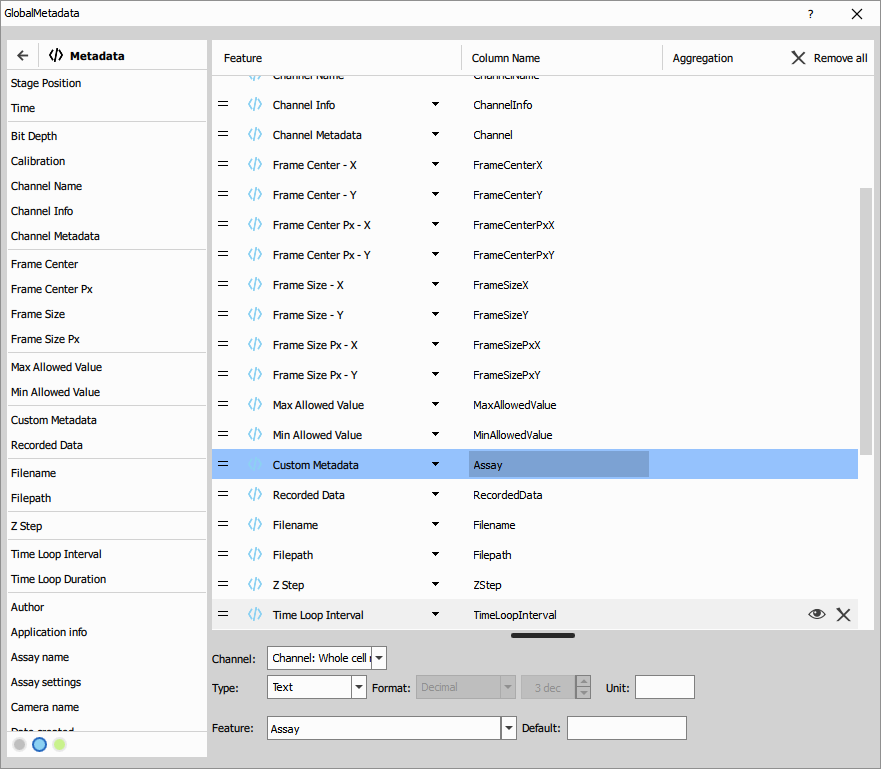
It produces a table with a single row.
The columns are the selected measured features:
- metadata features which can vary per frame and
- calculated features that are defined by an equation that uses the above.
Recorded Data
The node extracts all per-frame recorded data. Recoded data are metadata recorded during acquisition.
It produces a table with one row per frame.
The columns contain following:
- loop indexes for book keeping (one-based) and
- Recorded Data all recorded data present in the file.
Wellplate
The node extracts metadata and well thumbnails that are typical for wellplate acquisition.
The thumbnails and metadata is typically used in the wellplate results nodes.
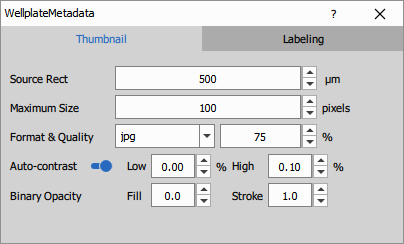
Parameters:
- Source Rect size (in microns if calibrated) of the center portion of the frame that is cropped and rendered.
- Maximum Size (in pixels) is the limit to which the rendered image is scaled down if it is larger.
- Format & Quality image file format (jpg or png) and quality in percent.
- Auto-contrast adjusts the contrast of the rendered images by stretching the intensity values within a defined range. Define the Low and High percentile of intensity values to be clipped.
- Binary Opacity of the binary objects (Fill) and their outline (Stroke). A value of 0 means fully transparent, while 1 means fully opaque.
- Labeling Provide a list of labels so that the down-stream nodes know the complete set of labels.
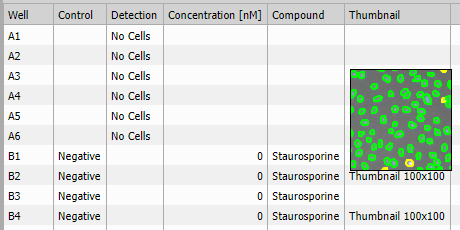
It produces a table where every row corresponds to a well.
Following columns (or less if dosing/labeling was not defined during acquisition):
- Well name such as “A2”, “C10”, …,
- Control containing “Negative” or “Positive”,
- Detection flags from Smart Experiment acquisition indicating some problem such as “No Cells”, “Condensation”, “Focus failed”, …,
- Labels general labels added during acquisition in labeling step
- Concentration, Compound, Group information about dosing and
- Thumbnail of selected size adn compression optionally including binaries.
Parameters
Input
A (Channel)
B1, B2, … (Binary, Optional, Multiple)
Output
- R (Table)
Control
previewMode (Number)
sourceRectSize (Number)
thumbFit (Text)
imgFormat (Text)
predefinedLabels (Text)
thumbMaxSize (Number)
imgQuality (Number)
imgAutocontrast (Number)
imgAutocontrastThrLow (Number)
imgAutocontrastThrHigh (Number)
binFillOpacity (Number)
binStrokeOpacity (Number)
Field pixel values
Histogram
Calculates a histogram of pixel values in the input color image. If the image has multiple channels, they are averaged to produce a single value for each pixel. If a binary (mask) is connected, only pixels within the mask are included.
- Minimum: Minimum pixel value. By default,
0for integer images or the minimum value for floating-point images. - Maximum: Maximum pixel value. By default, for integer images or the maximum value for floating-point images.
- Bin count: Number of histogram bins. By default, for integer images or
65536for floating-point images. - Select output columns: Select which columns will be included in the result table.
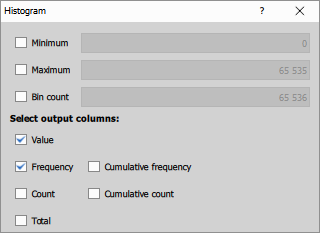
Parameters
Pixel Values
Reports all pixel values in the input color image. If the image has multiple channels, they are averaged to produce a single value for each pixel. If a binary (mask) is connected, only pixels within the mask are included.
Resolution
Image Pair FRC
Fourier Ring Correlation (FRC) is a technique used to measure the actual resolution of two independent images of the same scene. This method produces a numerical value that represents the resolution, providing a precise and reliable measurement. However, obtaining two independent images of the identical scene can often be challenging. Despite this, FRC is versatile and applicable across various imaging modalities.
This node implements the paper Measuring image resolution in optical nanoscopy.
One Image FRC
This node is a modification of the Image Pair FRC node so that it can be used for only one image and two images are not needed. This is based on the paper Fourier ring correlation simplifies image restoration in fluorescence microscopy. Accuracy and reliability is lower than on the Image Pair FRC node. It is calibrated for AX and NSPARC images. Trying other modalities is not recommended.
Parameters
Object pixel values
Histogram
Calculates histogram of all pixel values for every binary object, see Histogram (field).
- Minimum: Minimum pixel value. By default,
0for integer images or the minimum value for floating-point images. - Maximum: Maximum pixel value. By default, for integer images or the maximum value for floating-point images.
- Bin count: Number of histogram bins. By default, for integer images or
65536for floating-point images. - Select output columns: Select which columns will be included in the result table.
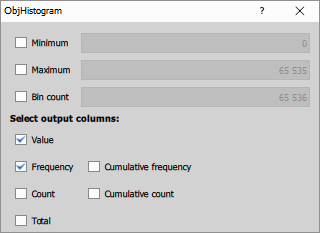
Parameters
Pixel Values
Calculates histogram of all pixel values for every binary object, see Pixel values (field).
Profile Line
Reports all pixel values along the binary object line. If an object is not a straight line, the pixel order is undefined and some pixels may be omitted.
Distance
Nearest Object
Nearest Object Distance measures nearest-neighbor spacing within one 2D binary object layer. Each object in A becomes one output row, and the node reports the closest other object from the same layer.
Use this node when the recipe needs a compact per-object nearest-neighbor result, for example to find isolated objects, find objects that have at least one nearby neighbor, or filter objects by nearest-neighbor distance. It is not an all-pairs neighbor table: each object keeps only its single nearest other object. Use Pairwise Distance instead when the workflow must count all neighbors within a distance range.
The output table has one row per object in A. If A contains n objects, R contains n rows.
The output table identifies the measured object and its nearest neighbor:
_Entityidentifies the source binary layer for the measured object._ObjIdis the object id of the measured object from A.NearestIdis the object id of the closest other object in A.NearestObjDistis the center-to-center distance from_ObjIdtoNearestId. Units follow image calibration when available, otherwise pixels.
Pairwise Distance
Pairwise Distance measures distances between objects in two binary layers. It creates one output table row for every object in A paired with every object in B. If A contains nA objects and B contains nB objects, the output contains nA * nB rows.
Use this node when you need to find, filter, or count neighboring objects based on distance. The two inputs may also be connected to the same binary layer.
The output table identifies both objects in each pair:
_Entityand_ObjIdidentify the object from input A.ChildEntityandChildIdidentify the paired object from input B.ChildDistanceis the measured distance for that A/B pair. Units follow image calibration when available, otherwise pixels.
The object ids are the binary object labels. They let downstream table nodes join, filter, group, or count relationships while preserving which source object and which neighbor object each row describes.
Reference selects what type of distance you want to measure:
- A center to B center: Centroid-to-centroid distance. This is the fastest option.
- A center to B border: Calculates distance from the object A center to the nearest border point of the B object.
- A border to B center: Reciprocal of center-to-border.
- A border to B border: Nearest border-to-border distance. Finds nearest points on borders of A and B in reference to each other.
- Cutoff distance: Calculates the distance between objects which is less than the cutoff distance. It speeds up the calculations.
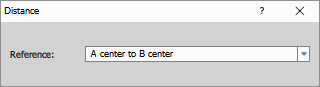
Node's control dialog
Z-stack measurements 3D
Focus criteria
Calculates the focus criteria (values which estimate the image sharpness) for each slice in a Z-stack and estimates the focus position. For the bright field and fluorescence criteria, the x-y region of the image is divided into 3x3 crops. The focus criterion is calculated for each crop and Z-position, and the overall results are used to estimate the focus position. The calculated focus position corresponds to the value that would be obtained during (non-AI) live auto-focusing if the camera captured the same Z-stack.
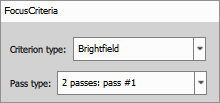
- Type: the type of the focus criterion.
- Pass type: how the focus should be evaluated as if the Z-stack was obtained in one of the following modes:
- Single pass autofocus (Single pass),
- first pass of two-pass (2 passes: pass #1) autofocus,
- second pass of two-pass autofocus (2 passes: pass #2).
Output columns:
- Z coord Z-position of each slice.
- Validity check Validity of the focus estimation. Can be either OK (the focus position was found), Small range (the focus position is out of range) or Fail (focus position couldn’t be estimated).
- Focus plane If the result of the validity check was OK, this column contains the found focus position. If the focus was found to be out of the Z-range, it contains the Z-value at the corresponding border of the range. If the focusing failed, it contains nothing.
- Whole frame criteria Focus criteria calculated across Z for the whole image.
- Crop # criteria Focus criteria calculated across Z for each crop. Crops #1 - #3, #4 - #6 and #7 - #9 correspond, respectively, to the top, middle and bottom of the image.
- Selected criteria If the result is OK, this column contains the focus criteria calculated across Z for the crop which had the most impact on the Z-position. Otherwise, this column is empty.