Data manipulation
Data management nodes modifies table entities. They take one or more tables as an input and one table as an output.
Basic
Accumulate Records
Measurements are usually processed frame by frame or volume by volume. Without accumulation, only the records from the current frame or volume are passed further. Use this node when later processing needs records combined from multiple frames, volumes or loops, for example before sorting, filtering, grouping or calculating statistics.
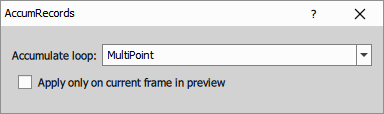
- Accumulate loop: Selects which loop should be accumulated. Choose
All Loopsto process the whole dataset at once. - Apply only on current frame in preview: In preview mode, applies the action only to the current frame.
Append Columns
This node appends columns from multiple input tables into one output table. Columns are appended in the same order as they appear in the input tables.
Use this node when you want to combine additional features measured for the same set of rows, for example the same objects measured by different nodes. All input tables are expected to have the same number of rows.
Calculated Column
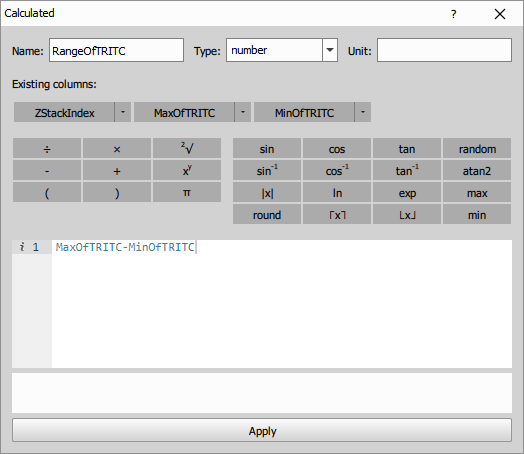
This node creates a new column based on a formula. The expression language is based on JavaScript. Use the column buttons in the dialog to insert column titles into the expression editor, and the calculator buttons to insert basic math functions.
- To access a value from the current row, use the column title directly:
FrameCenterX - ObjectCenterX - To use an aggregation over the entire column (applies when the table is not grouped), use the format
aggregation(colColumnTitle)(note thecolprefix).sum(colObjectArea) / count(colObjectArea)
You can insert a column by clicking the column title button. To insert an aggregation, click the arrow next to a column title and select the desired function from the list. For the full aggregation reference see Aggregations.
Parameters
Modify Columns
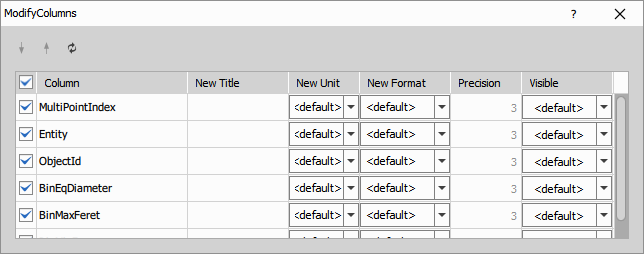
This node lets you adjust how columns are shown in the output table. You can change their order, title, unit, number format, precision and visibility.
Use the arrows in the dialog to move columns up or down. You can also rename columns in New Title, change their unit in New Unit, change their display format in New Format, set the displayed number of decimal places in Precision, and control whether a column is shown using Visible.
Reduce Records
This node reduces the number of rows in a table by grouping rows and calculating an aggregation for each output column. For each column, it calculates the selected statistic, such as mean, median, min, max, stdev or any-value.
An ungrouped table is reduced to one row. In a grouped table, each group is reduced to one row.
For the full aggregation reference see Aggregations.
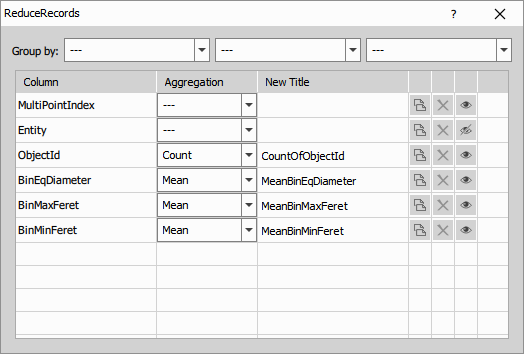
- Group by: Selects which columns are used to group the table before reduction. Rows with the same values in the selected columns are reduced together.
In the column table, select the aggregation for each output column in Aggregation and optionally change the output title in New Title. Use the copy button to duplicate a row and apply a different aggregation to the same input column, for example to keep both Mean and Max of one column in the output.
Scale Column Data
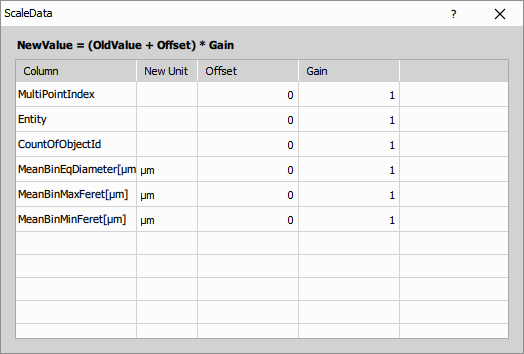
This node rescales selected table columns using the formula
Use it for tasks such as unit conversion, offset correction or simple linear rescaling of values.
For each column in the table, you can set Offset, Gain and optionally New Unit.
No new column is created. The selected source columns are modified directly.
Grouping
Aggregate Rows
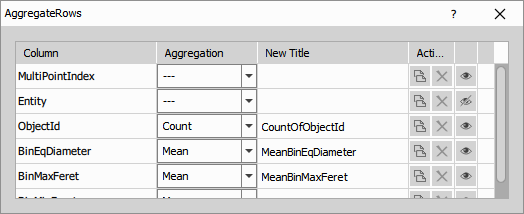
This node reduces the number of rows in the table by aggregating all rows of the current table or of each existing group. It is similar to Reduce table, but without the Group by option.
An ungrouped table is reduced to one row. In a grouped table, each group is reduced to one row.
For the full aggregation reference see Aggregations.
In the column table, select the aggregation for each output column in Aggregation and optionally change the output title in New Title. Use the copy button to duplicate a row and apply a different aggregation to the same input column, for example to keep both Mean and Max of one column in the output.
Filter Groups
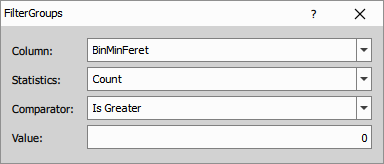
This node filters whole groups based on an aggregation statistic calculated for each group.
If the condition is not satisfied, the whole group is removed.
This node uses aggregation statistics. For the full aggregation reference see Aggregations.
- Column: Selects the input column used for the group evaluation.
- Statistics: Selects the aggregation statistic calculated for each group.
- Comparator: Selects how the calculated statistic is compared with the reference value.
- Value: Sets the reference value used by the selected comparator.
Group Records
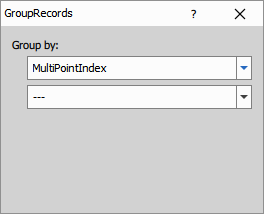
By default, all rows belong to one group. This node splits the table into groups according to the selected Group by columns. Rows with the same values in these columns are assigned to the same group.
Grouping does not change the values in the table, but it changes how later nodes process the rows. For example, aggregations, filtering and sequence operations can then be applied separately within each group.
- Group by: Selects one or more columns used to define the groups. To remove a grouping column, set it back to
---.
Ungroup Records
This node removes existing grouping from the input table. Rows remain in the same order and with the same values, but later nodes no longer process them as separate groups.
Sort & Select
Current Records
This node filters the input table to rows associated with the current frame. It is useful only when the connected table contains rows accumulated from multiple frames or volumes.
Filter Records
This node filters table rows using the selected column and keeps only rows that satisfy the specified condition.
- Column: Selects the input column used for filtering.
- Comparator: Selects the comparison operator.
- Value: Sets the comparison value.
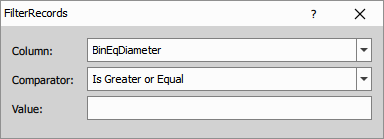
Parameters
Pivot Table
This node pivots the input table using the selected pivot column. A new output column is created for each value of the pivot column, and the values in these new columns are taken from the source columns selected in the definition table.
The number of output rows depends on the combinations of values in columns marked with the role Row.
- Pivot Column: Selects the column whose values define the new output columns.
- Definition table: Sets the role of each input column, for example
Rowor a value column to be pivoted. - Column Count: Limits how many pivoted values are turned into output columns.
- Column Order: Controls how the generated columns are ordered. For example,
Appendkeeps columns from the same source together, whileMixalternates them. - Column Suffix: Sets the naming pattern of the generated columns. You can use placeholders such as
PIVOT_NAMEandPIVOT_VALUE.
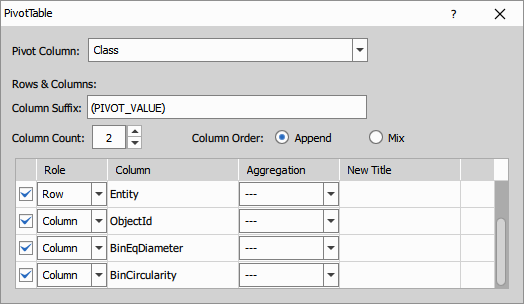
Parameters
Select First & Last
This node keeps only the first and the last row of the connected input table.
Select Records
This node keeps a specified number of rows starting from the selected first row.
Typical use is to select the first row of a sorted table.
- First Row: Selects the first row to keep.
- Count: Sets how many rows are kept.
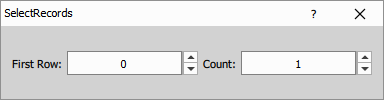
Select Top
This node sorts rows by the selected column and then keeps the specified number of smallest or largest rows.
It combines the behavior of Sort Records and Select Records.
- Column: Selects the column used for sorting.
- Order: Selects whether the smallest or largest values are kept.
- Count: Sets how many rows are included in the output table.
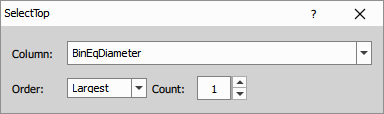
Parameters
Sort Records
This node reorders rows so that the selected column is sorted in ascending or descending order.
- Column: Selects the column used for sorting.
- Order: Selects whether the rows are sorted in ascending or descending order.
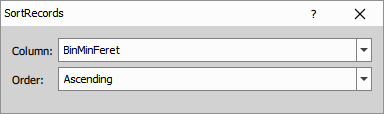
Table Manipulation
Append Records
This node appends rows from the connected input tables into one output table. Use it when the input tables have the same column structure and you want to combine their rows into a single table.
Compact Columns
This node compacts selected columns into fewer output columns. It is useful when values are distributed across multiple similar columns and need to be merged into a more compact table layout.
Copy Column ID
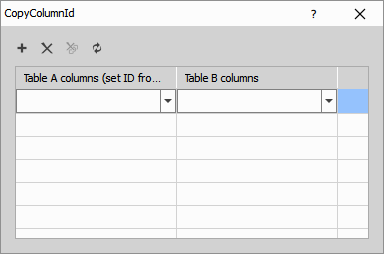
This node copies column IDs from table B to selected columns in table A. Use it when corresponding columns in two tables should keep the same internal column ID.
- Table A columns (set ID from B): Selects columns in table A whose column IDs will be replaced.
- Table B columns: Selects the source columns in table B from which the column IDs are copied.
Duplicate Column
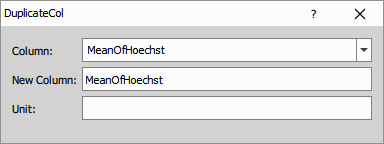
This node creates a copy of the selected column in the same table.
- Column: Selects the input column to duplicate.
- New Column: Sets the title of the duplicated column.
- Unit: Sets the unit of the duplicated column.
Join Records
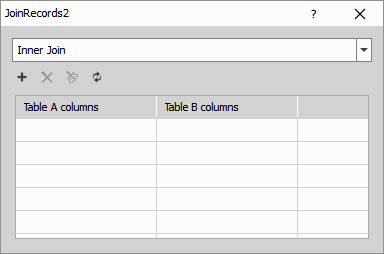
This node joins rows from two input tables using selected matching columns. It can perform inner, left, right or outer joins.
- Join type: Selects how rows from the two tables are combined.
- Using columns: Selects the columns used to match rows between the input tables.
Parameters
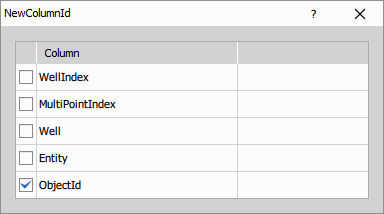
New Column ID
This node assigns new internal column IDs to the selected columns. It is useful when copied or reused columns should no longer share the original column identity.
- Suffix is appended to the title of every new column.
- Selected columns will receive the new id.
Shift Records
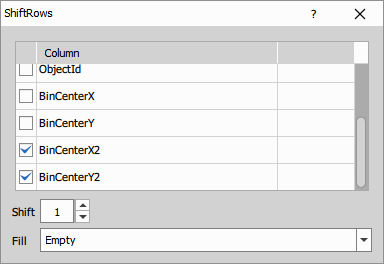
This node shifts values in selected columns by the specified number of rows.
- Column table: Selects which columns are shifted.
- Shift: Sets how many rows the values are moved. Positive and negative values shift in opposite directions.
- Fill: Selects how missing values created by the shift are filled:
Empty,OriginalorCycle.
Parameters
Statistics
Aggregate Columns
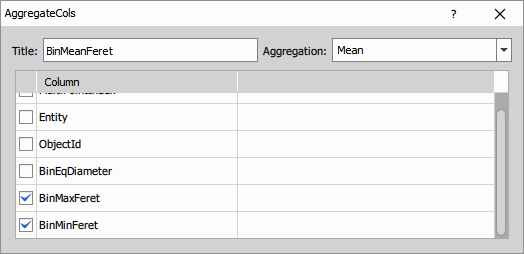
This node calculates one aggregation over multiple selected columns and stores the result in a new output column.
For the full aggregation reference see Aggregations.
- Title: Sets the title of the output column.
- Aggregation: Selects the aggregation statistic applied to the selected columns.
- Column table: Selects which input columns are included in the aggregation.
Parameters
Binning
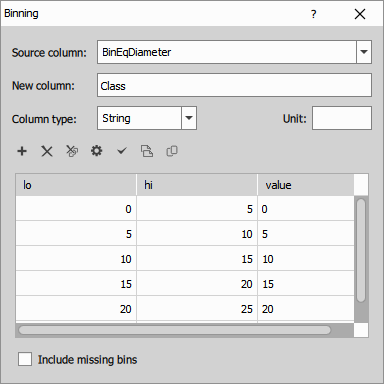
This node creates a new column by assigning each value from the selected source column to a user-defined bin.
- Source column: Selects the input column whose values are binned.
- New column: Sets the title of the created output column.
- Column type: Selects whether the bin labels are stored as text or numbers.
- Unit: Sets the unit of the new column.
- Binning table: Defines the bin ranges using
loandhi, and the output value assigned to each bin. - Include missing bins: Keeps bins in the output even if no input values fall into them.
Parameters
Binning (simple)
This node creates equally spaced bins from the selected source column and stores the bin label in a new output column.
- New column name: Sets the title of the created output column.
- Source column: Selects the input column whose values are binned.
- Min (incl.): Sets the lower edge of the first bin.
- Max (excl.): Sets the upper edge of the last bin.
- Count of bins: Sets how many bins are created in the interval.
- Class label: Selects how each bin is labeled, for example by bin start point, middle point or bin number.
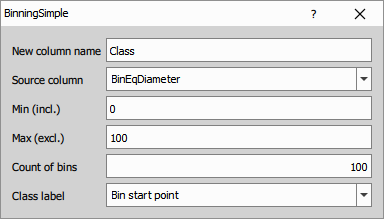
Parameters
Frequency Table
This node creates a frequency table for the selected source column. Values are first assigned to bins, then the number of rows in each bin is counted.
The output table typically contains the bin label and the corresponding count.
- Source column: Selects the input column whose values are classified into bins.
- New column: Sets the title of the class column in the output table.
- Column type: Selects whether the class labels are stored as text or numbers.
- Unit: Sets the unit of the class column.
- Binning table: Defines the bin ranges using
loandhi, and the class value assigned to each bin. - Hide missing classes: Omits classes with zero count from the output table.
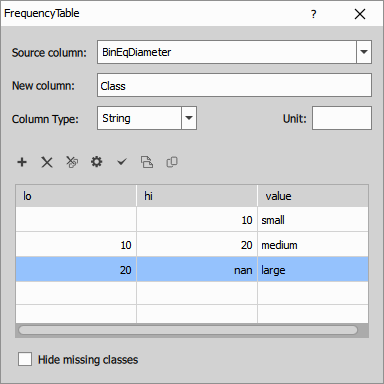
Generate Distribution
This node generates values of a theoretical probability distribution in the selected interval and stores them in a table. It can generate either the t-distribution or the F-distribution.
- Distribution: Selects whether the generated distribution is
t(v)orF(d1,d2). - Parameters: Set the distribution parameters, such as degrees of freedom.
- Cumulative distribution function: Switches between the probability density function and the cumulative distribution function.
- Interval of x: Defines the left endpoint, right endpoint and sampling step.
- Critical Region Low / High: Optionally marks low and high critical-region limits.
- Test value: Optionally adds a marked test value to the generated distribution.
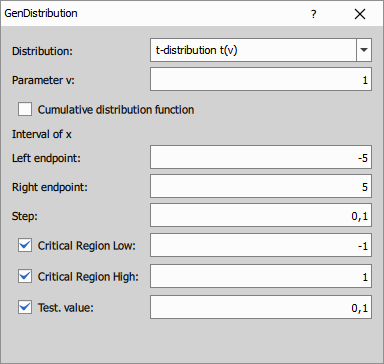
Parameters
Statistics
This node calculates selected statistics from the input table and outputs them in a new table. The selected statistics define the output rows, and the original input columns define the output columns.
For the full aggregation reference see Aggregations.
- Statistics: Selects which statistics are included in the output. You can add, remove and reorder items in the list.
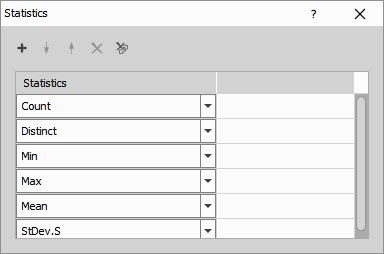
UMAP
Reduces the selected input columns to a specified number of new components using UMAP (Uniform Manifold Approximation and Projection). UMAP is a general-purpose manifold learning and dimensionality reduction algorithm that preserves local neighborhood structure and is commonly used for visualization and feature compression. For details, see the UMAP project on GitHub.
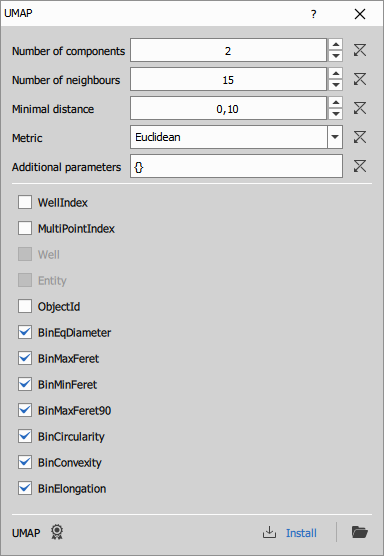
Number of components: Number of output dimensions (new component columns).
Number of neighbours: Neighborhood size used to build the graph. Smaller = more local detail; larger = more global structure.
Minimal distance: How tightly points can be packed together. Lower = tighter clusters; higher = more spread out.
Metric: Distance used in the input space (e.g., euclidean, manhattan, cosine).
Additional parameters: Advanced UMAP options passed through to the backend (key–value overrides).
Column selection: Input columns used to compute UMAP (currently only numeric columns).
Some metrics require extra settings (e.g., Minkowski needs parameter p). Specify them in Additional parameters, for example:
{"metric_kwds": {"p": 1}}
Parameters
Input
- A0 (Table)
Output
- R0 (Table)
Control
mode (Number)
code (Text)
refresh (Number)
environmentDesc (Text)
outprocType (Number)
environmentName (Text)
outprocPath (Text)
editingOutsidePath (Text)
editingOutsideEnabled (Number)
pyParDefs (Text)
devModeKey (Text)
description (Text)
P0 (Number)
P1 (Number)
P2 (Number)
P3 (Text)
P4 (Text)
P5 (Text)
Statistical tests
ANOVA One-way
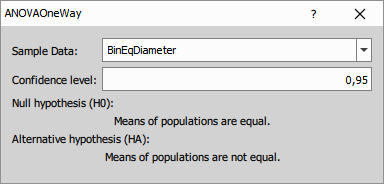
The node uses one input table and one numeric measurement column selected by SampleColumnName. The table should be grouped so that each group represents one condition being compared. All values from the selected column are split by the current table groups and the test is calculated across those groups.
The output table contains the result of the ANOVA test for the selected measurement column.
Output columns:
- ObservationsTotal - total number of measurements included in the test.
- MeanTotal - mean value across all groups together.
- SSTotal - total sum of squares, representing the overall variability in the data.
- SSTreatments - part of the total variability explained by differences between groups.
- SSError - part of the total variability that remains within groups.
- H0 - null hypothesis tested by ANOVA. In this case, the group means are equal.
- H0Rejected - result of the hypothesis test. A value indicating rejection means the difference between groups is statistically significant at the selected confidence level.
- ConfidenceLevel - confidence level selected for the test, for example
0.95. - p-value - probability of observing the result if the null hypothesis were true. Smaller values indicate stronger evidence against equal group means.
- DoF1 - degrees of freedom for the treatment effect, usually related to the number of groups minus one.
- DoF2 - degrees of freedom for the error term, usually related to the total number of observations minus the number of groups.
- F-statistics - ANOVA test statistic computed from between-group and within-group variability.
- AcceptanceRegionLow - lower bound of the acceptance region for the test statistic.
- AcceptanceRegionHigh - upper bound of the acceptance region for the test statistic.
F-test
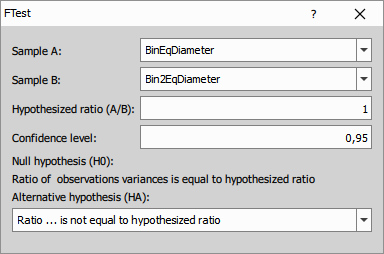
The node uses two input tables, A and B, and one numeric column selected from each table. It compares the variance of the selected column from table A with the selected column from table B. If the tables are grouped, the test is performed group by group and both tables must contain the same number of groups.
The output table contains the result of the variance comparison between the two selected sample columns.
Output columns:
- Observations(A) - number of values used from sample A.
- Var1(A) - sample variance of the selected column from sample A.
- Observations(B) - number of values used from sample B.
- Var1(B) - sample variance of the selected column from sample B.
- Ratio(A/B) - ratio of the two sample variances before comparison with the tested ratio.
- ConfidenceIntervalLow - lower bound of the confidence interval for the variance ratio.
- ConfidenceIntervalHigh - upper bound of the confidence interval for the variance ratio.
- H0 - null hypothesis, expressed as the tested ratio of variances.
- HA - alternative hypothesis.
- H0Rejected - indicates whether the null hypothesis was rejected at the selected confidence level.
- ConfidenceLevel - selected confidence level.
- p-value - probability of observing the result if the null hypothesis were true.
- DoF1 - degrees of freedom for sample A.
- DoF2 - degrees of freedom for sample B.
- F-statistics - F test statistic.
- AcceptanceRegionLow - lower acceptance limit for the F statistic.
- AcceptanceRegionHigh - upper acceptance limit for the F statistic.
Parameters
t-test 1s
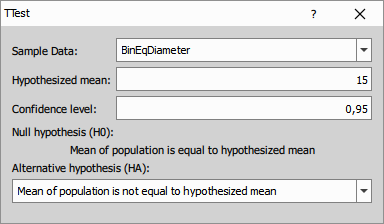
The node uses one input table and one numeric measurement column selected by SampleColumnName. It tests the selected column against the reference mean given in Mean. If the table is grouped, the test is performed separately for each group.
The output table contains the result of the one-sample t-test for the selected measurement column against the specified reference mean.
Output columns:
- Observations - number of measurements used in the test.
- Mean - mean of the tested sample.
- ConfidenceIntervalLow - lower bound of the confidence interval for the sample mean.
- ConfidenceIntervalHigh - upper bound of the confidence interval for the sample mean.
- StDev.S - sample standard deviation.
- H0 - null hypothesis, expressed using the tested reference mean.
- HA - alternative hypothesis.
- H0Rejected - indicates whether the null hypothesis was rejected at the selected confidence level.
- ConfidenceLevel - selected confidence level.
- DoF - degrees of freedom of the test.
- p-value - probability of observing the result if the null hypothesis were true.
- t-statistics - t test statistic.
- AcceptanceRegionLow - lower acceptance limit for the t statistic.
- AcceptanceRegionHigh - upper acceptance limit for the t statistic.
Parameters
t-test 2s pair
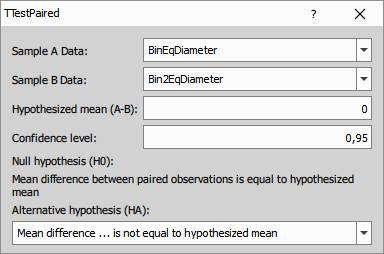
The node uses one input table and two numeric columns selected by SampleAColumnName and SampleBColumnName. Rows should be arranged so that values in the two selected columns form matched pairs. The node computes pairwise differences between the two selected columns row by row. If the table is grouped, the test is performed separately for each group.
The output table contains the result of the paired t-test for the two selected columns. Each row pair is treated as a matched measurement.
Output columns:
- Observations - number of valid pairs used in the test.
- Mean(A-B) - mean of the paired differences between the two selected columns.
- ConfidenceIntervalLow - lower bound of the confidence interval for the mean paired difference.
- ConfidenceIntervalHigh - upper bound of the confidence interval for the mean paired difference.
- StDev.S(A-B) - sample standard deviation of the paired differences.
- H0 - null hypothesis, expressed using the tested mean difference.
- HA - alternative hypothesis.
- H0Rejected - indicates whether the null hypothesis was rejected at the selected confidence level.
- ConfidenceLevel - selected confidence level.
- p-value - probability of observing the result if the null hypothesis were true.
- DoF - degrees of freedom of the paired t-test.
- t-statistics - t test statistic.
- AcceptanceRegionLow - lower acceptance limit for the t statistic.
- AcceptanceRegionHigh - upper acceptance limit for the t statistic.
Parameters
t-test 2s unpair
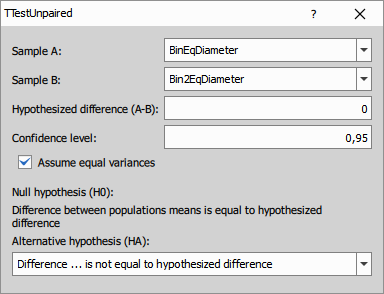
The node uses two input tables, A and B, and one numeric column selected from each table. It compares the selected column from table A with the selected column from table B. If the tables are grouped, the test is performed group by group and both tables must contain the same number of groups.
The output table contains the result of the unpaired t-test for the two selected sample columns.
Output columns:
- Observations(A) - number of measurements used from sample A.
- Mean(A) - mean of sample A.
- StDev.S(A) - sample standard deviation of sample A.
- Observations(B) - number of measurements used from sample B.
- Mean(B) - mean of sample B.
- StDev.S(B) - sample standard deviation of sample B.
- Difference(A-B) - difference between the sample means.
- ConfidenceIntervalLow - lower bound of the confidence interval for the mean difference.
- ConfidenceIntervalHigh - upper bound of the confidence interval for the mean difference.
- H0 - null hypothesis, expressed using the tested difference of means.
- HA - alternative hypothesis.
- H0Rejected - indicates whether the null hypothesis was rejected at the selected confidence level.
- ConfidenceLevel - selected confidence level.
- p-value - probability of observing the result if the null hypothesis were true.
- DoF - degrees of freedom of the test.
- t-statistics - t test statistic.
- AcceptanceRegionLow - lower acceptance limit for the t statistic.
- AcceptanceRegionHigh - upper acceptance limit for the t statistic.
Parameters
Z-factor
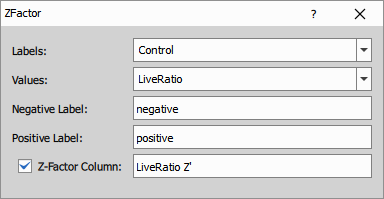
The node uses one input table with a numeric measurement column and a label column that identifies positive and negative controls. The label column should distinguish the negative and positive control rows used for the calculation. If the table is grouped, the Z-factor is calculated separately for each group.
The node evaluates the selected control groups and can append a new output column with the calculated Z-factor.
The Z-factor is calculated as
where and are the mean values of the positive and negative controls, and and are their standard deviations.
A higher Z-factor indicates better separation between the positive and negative controls and therefore better assay quality. Values below 0 usually indicate an unusable assay, values from 0 to below 0.5 indicate a marginal assay, and values 0.5 and above are generally considered suitable for reliable screening.
Parameters
Position
Addition
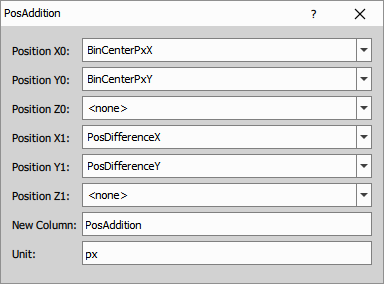
This node adds two positions or vectors component-wise and creates new output X, Y and optionally Z columns.
- Position X0 / Y0 / Z0: Select the first input position or vector columns.
- Position X1 / Y1 / Z1: Select the second input position or vector columns.
- New Column: Sets the base name of the output columns.
- Unit: Sets the unit of the output columns.
Parameters
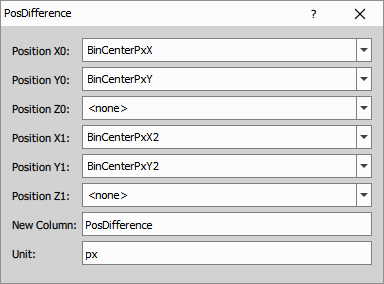
Difference (vector)
This node subtracts two positions or vectors component-wise and creates new output X, Y and optionally Z columns.
- Position X0 / Y0 / Z0: Select the first input position or vector columns.
- Position X1 / Y1 / Z1: Select the second input position or vector columns.
- New Column: Sets the base name of the output columns.
- Unit: Sets the unit of the output columns.
Parameters
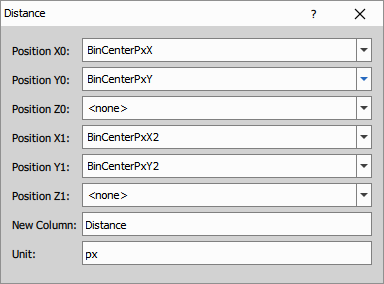
Distance
This node calculates the Euclidean distance between two positions for each row.
The distance is calculated from the selected X, Y and optionally Z columns.
- Position X0 / Y0 / Z0: Select the first input position columns.
- Position X1 / Y1 / Z1: Select the second input position columns.
- New Column: Sets the title of the output distance column.
- Unit: Sets the unit of the output column.
Parameters
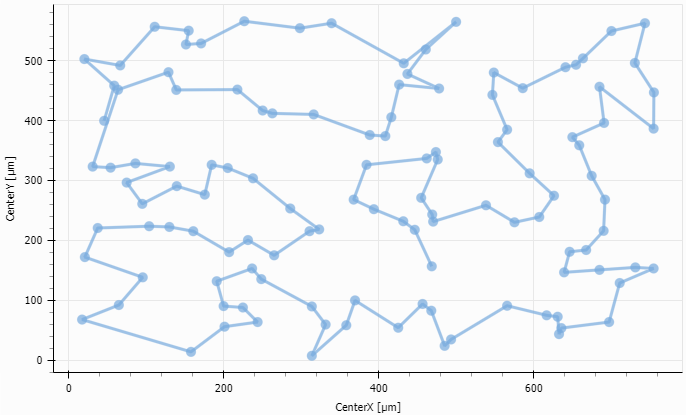
Optimal path
This node reorders rows so that points defined by the selected X and Y columns follow an approximately optimal path through the dataset.
It is useful for ordering unordered points into a path-like sequence, for example along an outline or trajectory. If the table is grouped, the sorting is performed separately within each group.
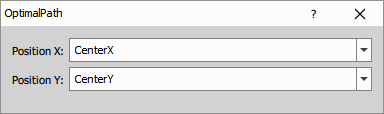
- Position X: Selects the input column used as the X coordinate.
- Position Y: Selects the input column used as the Y coordinate.
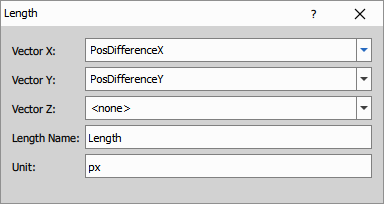
Vector Length
This node calculates the length of a vector from the selected X, Y and optionally Z columns.
- Vector X / Y / Z: Select the input vector components.
- Length Name: Sets the title of the output length column.
- Unit: Sets the unit of the output column.
Parameters
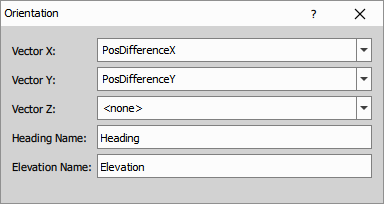
Vector Orientation
This node calculates the orientation of a vector from the selected X, Y and optionally Z columns.
The output contains a heading angle. If Z is used, the output also contains an elevation angle.
- Vector X / Y / Z: Select the input vector components.
- Heading Name: Sets the title of the output heading column.
- Elevation Name: Sets the title of the output elevation column.
Parameters
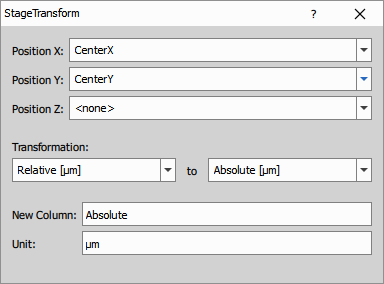
Stage Transformation
This node transforms positions between relative image coordinates and absolute stage coordinates.
- Position X / Y / Z: Select the input position columns.
- Transformation: Selects the source and destination coordinate formats.
- New Column: Sets the base name of the output columns.
- Unit: Sets the unit of the output columns.
Parameters
Processing
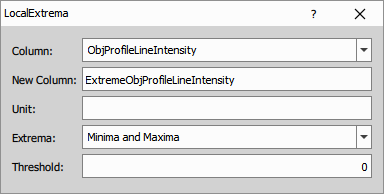
Find Local Extrema
This node detects local minima, local maxima, or both in the selected sequence and writes the detected extrema to a new output column.
- Column: Selects the input column in which local extrema are detected.
- New Column: Sets the title of the output column.
- Unit: Sets the unit of the output column.
- Extrema: Selects whether minima, maxima, or both are detected.
- Threshold: Sets the minimum required difference from neighboring values.
Parameters
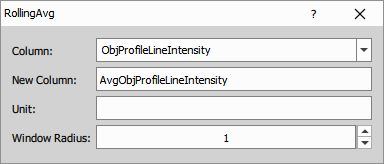
Rolling Average
This node calculates the rolling average of the selected input column using a symmetric window around each row.
The output is calculated from the input values in the local window
where is the window radius. The rolling average is then
- Column: Selects the input column.
- New Column: Sets the title of the output column.
- Unit: Sets the unit of the output column.
- Window Radius: Sets the radius of the rolling window.
Parameters
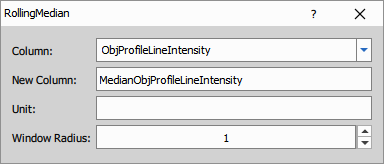
Rolling Median
This node calculates the rolling median of the selected input column using a symmetric window around each row.
The output is calculated from the input values in the local window
where is the window radius. The rolling median is then
- Column: Selects the input column.
- New Column: Sets the title of the output column.
- Unit: Sets the unit of the output column.
- Window Radius: Sets the radius of the rolling window.
Parameters
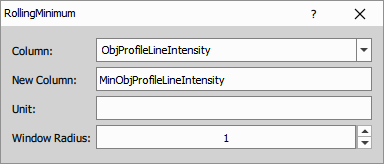
Rolling Minimum
This node calculates the rolling minimum of the selected input column using a symmetric window around each row.
The output is calculated from the input values in the local window
where is the window radius. The rolling minimum is then
- Column: Selects the input column.
- New Column: Sets the title of the output column.
- Unit: Sets the unit of the output column.
- Window Radius: Sets the radius of the rolling window.
Parameters
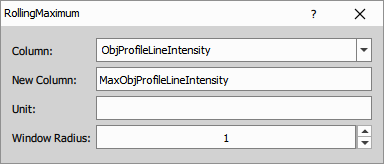
Rolling Maximum
This node calculates the rolling maximum of the selected input column using a symmetric window around each row.
The output is calculated from the input values in the local window
where is the window radius. The rolling maximum is then
- Column: Selects the input column.
- New Column: Sets the title of the output column.
- Unit: Sets the unit of the output column.
- Window Radius: Sets the radius of the rolling window.
Parameters
Curve Fitting
Curve Fitting
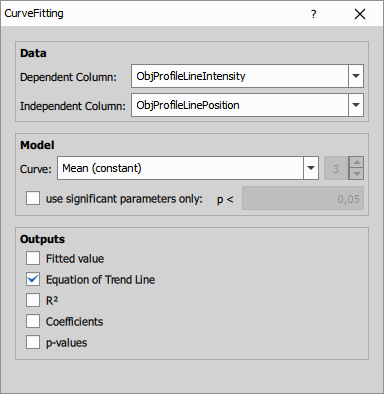
This node fits a selected curve to the input data using least squares. Select the dependent column with measured values and the independent column with the corresponding x values. The fitted results can be added as output columns, including fitted values, the equation, R<sup>2</sup>, coefficients, and p-values.
Available curve models are
For Higher Polynomial, set the polynomial degree. For polynomial models, you can also enable use significant parameters only and set the p-value threshold to reduce number of parameters.
- Dependent Column: Column with dependent values to be fitted.
- Independent Column: Column with independent values. You can also use <row indexes>.
- Curve: Curve model used for the fit.
- Degree: Polynomial degree for Higher Polynomial.
- use significant parameters only: Keeps only significant polynomial parameters based on the selected p-value threshold.
- Outputs: Select which outputs to create: Fitted value, Equation of Trend Line, R2, Coefficients, and p-values.
Parameters
Dose Response
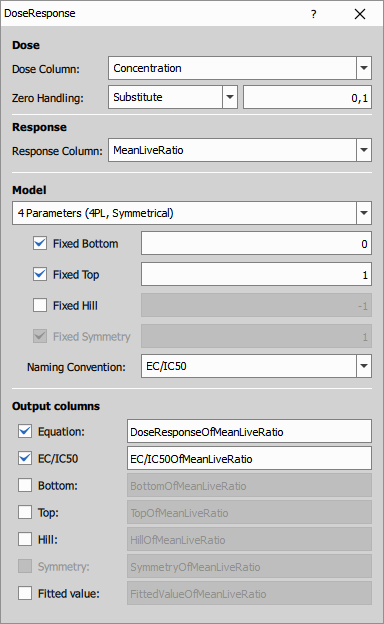
This node fits a dose-response curve to dose and response data using non-linear least squares. The node supports both 4 Parameters (4PL, Symmetrical) and 5 Parameters (5PL, Asymmetrical) dose-response models. Selected model parameters and output columns can be enabled in the dialog.
Available dose-response models are
- 4PL (Symmetrical) dose-response model
- 5PL (Asymmetrical) dose-response model
where is bottom (minimum of the curve), is top (maximum of the curve), is the inflection point of the curve, is the Hill coefficent (gives direction and how steep the response curve is) and gives the assymetry around the inflection point.
, , , … are calculated as
and for the 4LP model are equal to (because )
- Dose Column: Selects column with dose values.
- Zero Handling: Defines if the zero dose values should be substituted or discarded.
- Response Column: Selects column with response values.
- Model: Dose-response model used for the fit.
- Fixed Bottom: Fixes the bottom value of the fitted curve.
- Fixed Top: Fixes the top value of the fitted curve.
- Fixed Hill: Fixes the Hill coefficient.
- Fixed Symmetry: Fixes the symmetry parameter. This option is available only for the 5-parameter model.
- Naming Convention: Selects the naming convention used for the output column titles:
EC50,IC50orEC/IC50. - Output columns: Select which outputs to create and how they should be named:
Equation,EC/IC50,Bottom,Top,Hill,Symmetry, andFitted value
Parameters
Input
- A (Table)
Output
- R (Table)
Control
DoseColName (Text)
ResponseColName (Text)
Model (Number)
Bottom (Number)
Top (Number)
Hill (Number)
Symmetry (Number)
BottomFixed (Number)
TopFixed (Number)
HillFixed (Number)
SymmetryFixed (Number)
DisplayEquation (Number)
DisplayFit (Number)
DisplayEC50 (Number)
DisplayBottom (Number)
DisplayTop (Number)
DisplayHill (Number)
DisplaySymmetry (Number)
NameIC50 (Number)
TitleFit (Text)
TitleEquation (Text)
TitleEC50 (Text)
TitleBottom (Text)
TitleTop (Text)
TitleHill (Text)
TitleSymmetry (Text)
ZeroHandling (Number)
ZeroSubstitution (Number)
Gauss Mixture
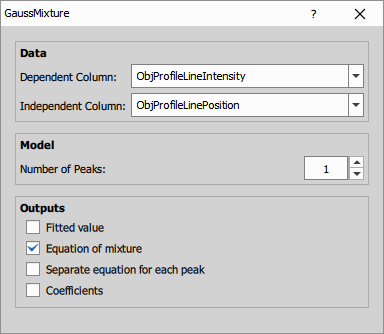
This node fits a mixture of Gaussian curves to the input data using non-linear least squares. Select the dependent and independent columns and set the number of peaks in the mixture. The node can output fitted values, the full equation of the mixture, separate equations for individual peaks, and the fitted coefficients.
where gives the height, gives the position (interpretable as the mean), and controls the width of the th peak (with representing the variance).
- Dependent Column: Column with dependent values to be fitted.
- Independent Column: Column with independent values. You can also use
<row indexes>. - Number of Peaks: Number of Gaussian peaks in the fitted mixture.
- Outputs: Select which outputs to create:
Fitted value,Equation of mixture,Separate equation for each peak, andCoefficients.
Parameters
Growth
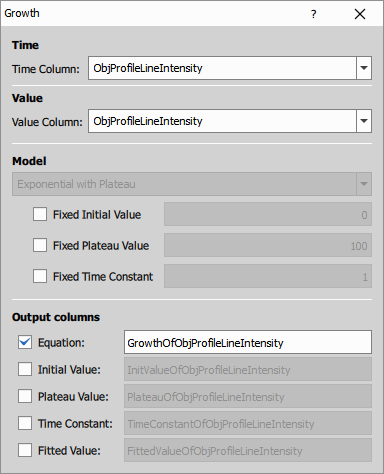
This node fits an exponential growth with plateau model to time-value data. Select the time column and the value column, then optionally fix the initial value, plateau value, or time constant before fitting. The node can output the fitted equation, fitted values, and the fitted model parameters as separate columns.
where is the initial value, is the plateau value, and is the time constant.
- Time Column: Column with time values. You can also use
<row indexes>. - Value Column: Column with measured values to be fitted.
- Fixed Initial Value: Fixes the initial value to the specified number.
- Fixed Plateau Value: Fixes the plateau value to the specified number.
- Fixed Time Constant: Fixes the time constant to the specified number.
- Output columns: Select which outputs to create:
Equation,Initial Value,Plateau Value,Time Constant, andFitted Value.
Parameters
Input
- A (Table)
Output
- R (Table)
Control
TimeColName (Text)
ValueColName (Text)
InitValue (Number)
Plateau (Number)
TimeConstant (Number)
InitValueFixed (Number)
PlateauFixed (Number)
TimeConstantFixed (Number)
DisplayEquation (Number)
DisplayFit (Number)
DisplayInitValue (Number)
DisplayPlateau (Number)
DisplayTimeConstant (Number)
TitleEquation (Text)
TitleFit (Text)
TitleInitValue (Text)
TitlePlateau (Text)
TitleTimeConstant (Text)
Detect
DBSCAN
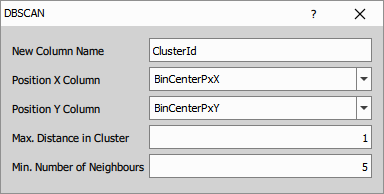
This node clusters 2D points using the DBSCAN method and writes the cluster IDs into a new output column.
Two points are considered neighbours when their distance is not greater than the selected maximum cluster distance. Points with enough neighbours start a cluster, and all connected neighbouring points are assigned to the same cluster.
- New Column Name: Sets the title of the output column with cluster IDs.
- Position X Column: Selects the column with X coordinates.
- Position Y Column: Selects the column with Y coordinates.
- Max. Distance in Cluster: Sets the maximum distance between neighbouring points in one cluster.
- Min. Number of Neighbours: Sets how many neighbours a point must have to form a cluster.
Parameters
Grid Points
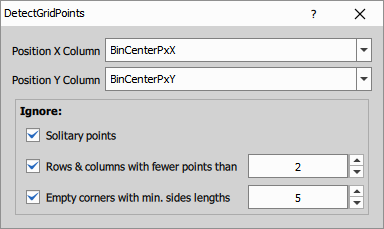
This node detects a square grid from input point coordinates and appends rows with coordinates of missing grid points.
Use it when the input table contains measured grid points and some expected positions are missing. The options in the Ignore section help exclude isolated points and incomplete rows, columns or corners during grid detection.
- Position X Column: Selects the column with X coordinates.
- Position Y Column: Selects the column with Y coordinates.
- Solitary points: Ignores isolated points that do not fit the detected grid.
- Rows & columns with fewer points than: Ignores sparse rows or columns shorter than the selected limit.
- Empty corners with min. sides lengths: Ignores missing-corner configurations smaller than the selected size.
Parameters
Parse Well Name
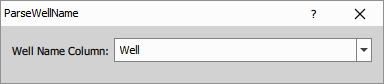
This node parses well identifiers from the selected input column and creates output columns for well row and well column names.
| Input | WellRow | WellColumn |
|---|---|---|
| AA01 | AA | 01 |
| 01AA | 01 | AA |
| AB | A | B |
| 01 | 0 | 1 |
- Well Name Column: Selects the input column containing well identifiers.
Object ML Classifier
This node classifies objects in a table based on their measured features using a trained machine-learning model.
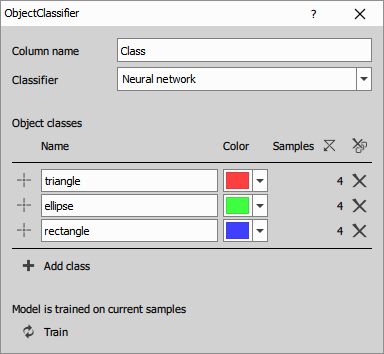
Define the output class column, choose the classifier type, create object classes, and add samples to each class.
To add samples use the picker located to the left of the name to select an object. Alternatively, first select rows in the table connected to this node, and then click the plus icon.
The samples are used to train the model, so they should be representative of the measured feature characteristic of its class. The samples should be selected only from one frame. Each sample adds the table row corresponding to the selected object to the training data. The classifier automatically ignores object identity, source/location, and loop/frame columns.
After training, the node assigns a class to each object.
To visualize the result, connect the output table together with the corresponding binary layer to Color by Value and choose the class column as the source column.
What model to choose:
Nearest neighbourworks best for small datasets, it is sensitive to wrong samples.Bayesneeds the fewest samples, assumes that features from columns are independent.Neural networkcan find more complex connections, requires more training data, it is the most flexible, it is the slowest option.
- Column name: Sets the title of the output class column.
- Classifier: Selects the machine-learning model:
Nearest neighbour,Bayes, orNeural network. - Object classes: Defines the class list, including class name, color, and training samples.
- Add class: Adds another class definition.
- Clear samples: Removes training samples from all classes.
- Clear all samples for this class: Removes training samples for this class.
- Remove all classes: Removes all class definitions.
- Remove this class: Removes this class definition.
- view samples for this class: Shows objects used as samples for this class.
- Add rows for this class: After row selection from appropriate table it adds the object ids to the samples.
- Train: Trains or retrains the model on the current samples.
Parameters
Object Rule Classifier
This node assigns a class to each object by evaluating user-defined rules on measured feature values.
Define a base class first, then add object classes with one or more rules. Classes are evaluated in the order shown in the dialog. If an object matches more than one class, it is assigned to the first matching class. If it does not match any class rule, it is assigned to the base class.
To visualize the result, connect the output table together with the corresponding binary layer to Color by Value and choose the class column as the source column.
- Column name: Sets the title of the output class column.
- Base class: Defines the default class name and color used when no rule matches.
- Object classes: Defines the class list, including class name, color, and the rules for that class.
- Rule: Selects the input feature column, comparison operator, and reference value. All rules in one class are combined with AND, so an object must satisfy every rule in that class to match it.
- Add rule: Adds another required rule to the current class.
- Clear rules: Removes all rules from the current class.
- Add class: Adds another class definition.
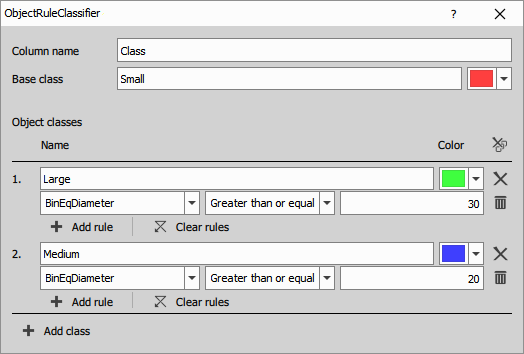
Parameters
TMA Dearraying
This node detects rows and columns of TMA cores from center positions measured in the input table. It preserves the input rows and columns and appends TMAId, TMARow, and TMAColumn.
Use TMA Dearraying when you already have a table with one row per core and need grid annotations as table columns, want to choose the X/Y coordinate columns, or need to process multiple arrays independently as table groups. To change the object IDs of a detected 2D binary layer instead, use TMA Renumber. TMA Renumber measures object centers, runs this dearraying operation internally, and applies TMAId back to the binary objects.
By default, the node assigns indexes so that cores in higher rows get smaller indexes than cores in lower rows, and cores within a row are indexed from left to right. The indexing order can be changed using Orientation, Index from, and Meander. Missing cores can either keep gaps in indexing or be skipped by continuous indexing.
For good results, the core centers should lie on a roughly square grid without rotation.
- Position X Column: Selects the column with X coordinates of core centers.
- Position Y Column: Selects the column with Y coordinates of core centers.
- Orientation: Selects whether indexing proceeds primarily by
Rowsor byColumns. - Index from: Selects the starting corner of the indexing order.
- Meander: Switches to meander indexing, where the direction alternates in neighbouring rows or columns.
- Continuous indexing: Omits numbers of missing cores so the output indexes remain continuous.
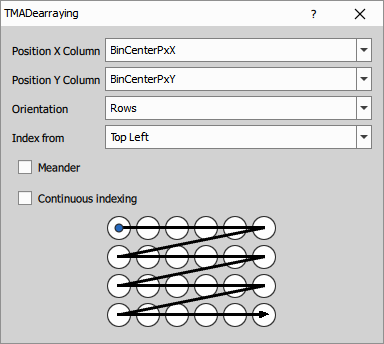
Parameters
Values Run
This node detects runs of the same value and writes run IDs into a new output column.
Rows with the same value in the selected Column receive the same run ID only when they are consecutive according to the selected Index Column. When the value changes, a new run starts.
- Column: Selects the column whose repeated values are tracked.
- Index Column: Selects the column that defines the row order for run detection.
- New Column: Sets the title of the output column with run IDs.
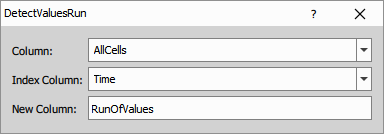
Parameters
Sequences
Difference
The node calculates differences between neighboring values in the selected sequence. For grouped tables, the calculation restarts at the beginning of each group.
The output is calculated as follows:
where is the input value and is the output difference.
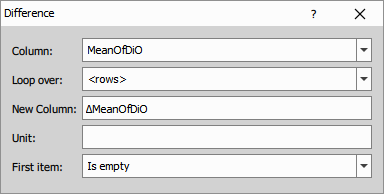
Parameters
Integrate
The node calculates the cumulative sum of the selected sequence. For grouped tables, the calculation restarts at the beginning of each group.
The output is calculated as follows:
where is the input value, is the integrated output value and is the initial constant.
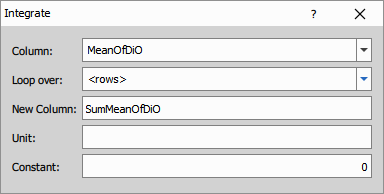
Parameters
Position Difference
The node calculates coordinate differences between neighboring positions in a 2D or 3D sequence.
It uses the selected X, Y and optionally Z columns as the input position coordinates and creates corresponding output X, Y and optionally Z columns.
For grouped tables, the calculation restarts at the beginning of each group.
The output is calculated as follows:
where is the input coordinate value and is the output difference.
The same calculation is applied separately to the selected X, Y and optionally Z columns.
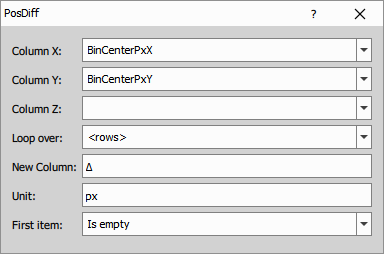
Parameters
Position Integrate
The node calculates output columns by cumulative summation of the selected input columns.
Select X, Y and optionally Z input columns containing values to be integrated, for example increments, distances or speeds. The node then creates corresponding output X, Y and optionally Z columns with the integrated values.
For grouped tables, the calculation restarts at the beginning of each group.
The output is calculated as follows:
where is the input value, is the integrated output value and is the initial position offset.
The same calculation is applied separately to the selected X, Y and optionally Z columns.
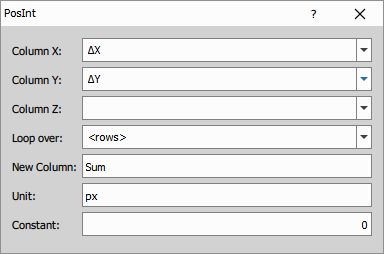
Parameters
High Pass Filter
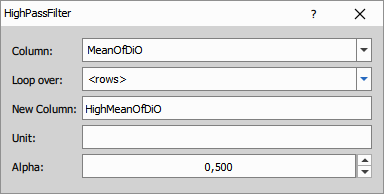
This node suppresses slow changes in the selected sequence and highlights rapid changes between neighboring values. Together with Low Pass Filter, it can split a signal into low-pass and high-pass components. For grouped tables, the calculation restarts at the beginning of each group.
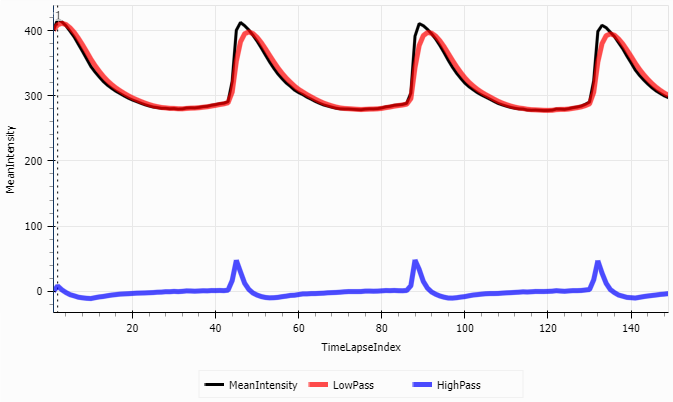
The filtering is calculated as follows:
where is the input value, is the filtered output value and is the high-pass coefficient.
When the same input sequence is processed by the complementary low-pass and high-pass filters and the coefficients satisfy , both outputs add up to the original signal.
Parameters
Low Pass Filter
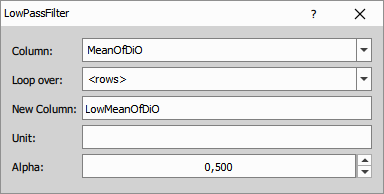
The node smooths the selected sequence and suppresses rapid changes between neighboring values. For grouped tables, the calculation restarts at the beginning of each group.
The filtering is calculated as follows:
where is the input value, is the filtered output value and is the low-pass coefficient.
When the same input sequence is processed by the complementary low-pass and high-pass filters and the coefficients satisfy , both outputs add up to the original signal.
Parameters
Sequence (Int)
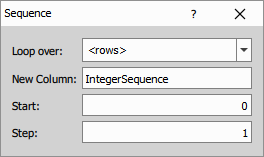
The node generates an integer sequence for the rows of the input table. For grouped tables, the sequence restarts at the beginning of each group.
The output is calculated as follows:
where is the generated sequence value, is the start value and is the step.
Parameters
Sequence (Exp)
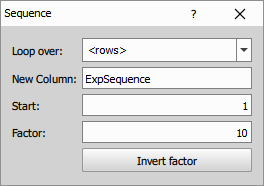
The node generates an exponential sequence for the rows of the input table. For grouped tables, the sequence restarts at the beginning of each group.
The output is calculated as follows:
where is the generated sequence value, is the start value and is the multiplication factor.
Parameters
Python
Create Column
Define new columns in the upper table by specifying their name, type, and unit.
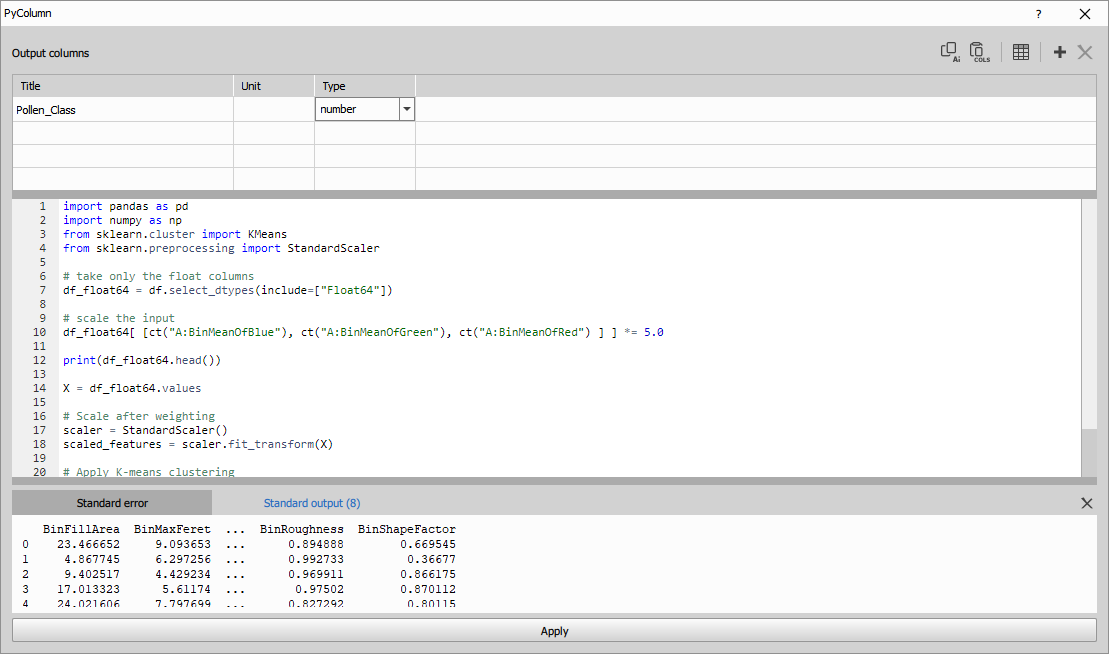
Fill the out DataFrame with the calculated data. Use the print() function to reveal any variable.
The example shows k-means object classification using scikit-learn.
import pandas as pd
import numpy as np
from sklearn.cluster import KMeans
from sklearn.preprocessing import StandardScaler

# take only the float columns
df_float64 = df.select_dtypes(include=["Float64"])

# scale the input
df_float64[ [ct("A:BinMeanOfBlue"), ct("A:BinMeanOfGreen"), ct("A:BinMeanOfRed") ] ] *= 5.0

print(df_float64.head())

X = df_float64.values

# Scale after weighting
scaler = StandardScaler()
scaled_features = scaler.fit_transform(X)

# Apply K-means clustering
kmeans = KMeans(n_clusters=4, random_state=42, n_init=10)

#set the output dataset
out["Pollen_Class"] = kmeans.fit_predict(X)
Accessing columns in df
Input columns in pandas dataframe are accessed by their titles. Column titles may change during GA3 editing or because input channels use different names. If you access columns using plain strings, these changes can break your script and cause it to look for non-existing columns.
To make column references robust, always use the ct(...) helper instead of raw strings. For example, replace df["Area"] with df[ct("A:Area")], where A refers to table input name and Area is the column title.
def ct(title: str) -> str:
    return title.split(":", 1)[1] if ":" in title else title
The helper ct("A:Area") returns only "Area" to Python, but the full "A:Area" string is stored in the workflow and tracked by the GA3 editor. As consequence, if you rename the column in the GUI (for example Area → Object area), the editor knows which column and table A:Area referred to and automatically updates it to A:Object area. Your script keeps working without any manual changes.
To quickly insert a column reference into the code editor, click the table button
in the top toolbar and select the desired column from the list. The column title will be inserted in the form ct("Table:ColumnTitle").
Use LLMs with Python nodes
It is possible to ask large language models (LLMs) like ChatGPT, Gemini or Copilot to generate python
code that will calculate the content of the column. To simplify the interaction with the LLMs there
is a button Copy prompt for a LLM which prepares a prompt ready to be pasted into the LLMs.
The user has to replace the <USER TASK HERE>.
At the end pof the prompt:
Task (provided by the user):
ENTER YOUR QUESTION HERE
Note that it is a good practice to create a new chat for the prompt so that it doesn’t share context with unrelated conversation.
The answer should contain two parts as shown in the example:
- JSON with new columns definition - copy it and
Paste columns from LLMand - copy and paste the python code – replace it: Ctrl+A, Ctrl+V
- Example of feature reduction (movie)
- In the movie we show how to interact with the LLMs. Asking it to reduce the number of features.
Task (provided by the user):
Reduce the number of features to 2 in order to visualize the data in 2D scatterplot.
Ignore non-feature columns like Entity or Object ID.
- Example of unsupervised classification
- When the following question is added to the generated prompt:
Task (provided by the user):
Classify the objects into two classes.
The ChatGPT 4o outputs following column definition and code:
[
  {"name": "ClassLabel", "type": "int", "unit": null}
]
import pandas as pd
import numpy as np
from sklearn.cluster import KMeans
# Start from an empty frame with the same index
out = pd.DataFrame(index=df.index)
# Select numeric features for clustering (excluding IDs and categorical fields)
features = [
"Area", "EqDiameter", "Perimeter", "Length", "Width", "MaxFeret", "MinFeret",
"Circularity", "Elongation", "MeanIntensityEGFP", "MeanIntensityTD",
"SumIntensityEGFP", "SumIntensityTD"
]
# Prepare data: drop rows with missing values in the selected features
valid_mask = df[features].notna().all(axis=1)
X = df.loc[valid_mask, features].astype("float64")
# Perform KMeans clustering into 2 classes
kmeans = KMeans(n_clusters=2, n_init="auto", random_state=42)
labels = pd.Series(kmeans.fit_predict(X), index=X.index).astype("Int64")
# Create the output column and fill with cluster labels, keeping <NA> where data was insufficient
out["ClassLabel"] = pd.Series(pd.NA, index=df.index, dtype="Int64")
out.loc[labels.index, "ClassLabel"] = labelsParameters
See also: Python
Create Table
Define new columns or copy them from the source tables in the upper table by specifying their name, type, and unit. Copying columns keeps their ID and Metadata.
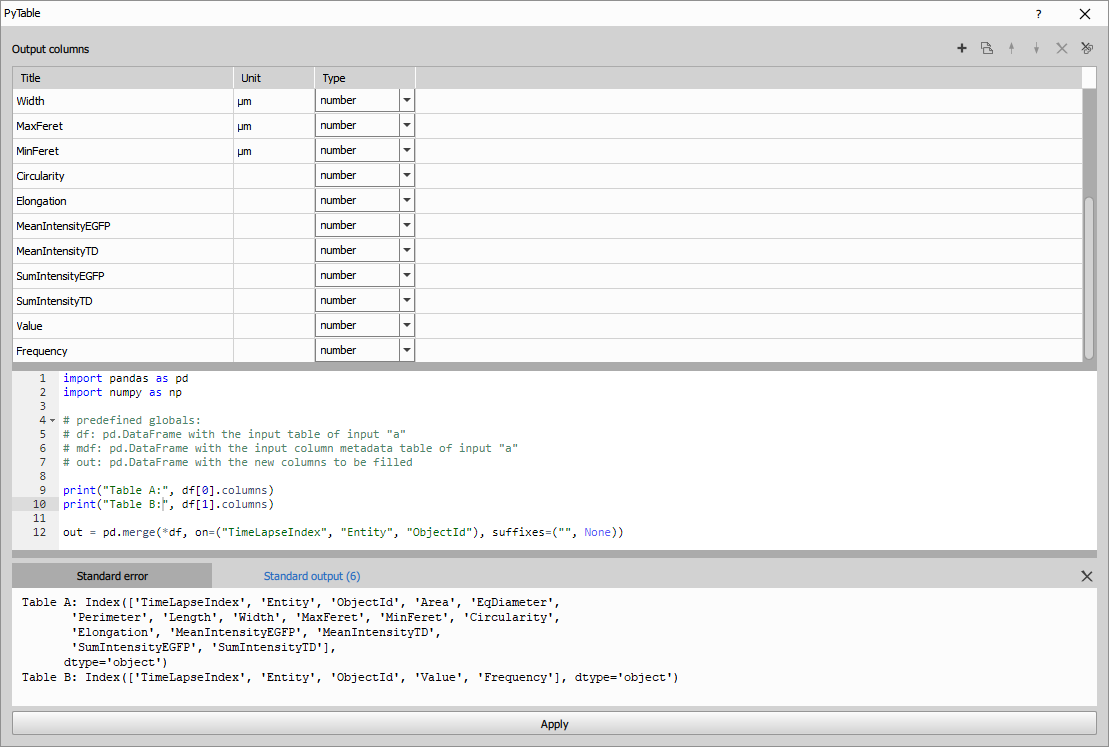
Fill the out DataFrame with the calculated data. Use the print() function to reveal any variable.
The example shows an inner join of two object tables tables:
- Table A: all columns from results of object measurements with one row per object and
- Table B: “Value” and “Frequency” from results of object pixel histogram with 16 rows per each object
on columns ("TimeLapseIndex", "Entity", "ObjectId").
Same columns (having same name) are taken from the left table (“Table A”) with the suffixes parameter.
See Pandas documentation for the merge() function.
import pandas as pd
import numpy as np

# predefined globals:
# df: tuple[pd.DataFrame] with the input tables for "Table A", "Table B", ...
# mdf: tuple[pd.DataFrame] with the input column metadata table for "Table A", "Table B", ...
# out: pd.DataFrame with the new output table

print("Table A:", df[0].columns)
print("Table B:", df[1].columns)

out = pd.merge(*df, on=("TimeLapseIndex", "Entity", "ObjectId"), suffixes=("", None))To see how to make column access more robust for later editing, see the Create Column
For even more programmatic approach without having to define the columns in the Dialog use the Python generic node.
Use LLMs with Python nodes
It is possible to ask large language models (LLMs) like ChatGPT, Gemini or Copilot to generate python code for a
scientific question. To simplify the interaction with the LLMs there is a button Copy prompt for a LLM
which prepares a prompt ready to be pasted into the LLMs. The user has to append only the question.
Note that it is a good practice to create a new chat for the prompt so that it doesn’t share context with unrelated conversation.
The answer should contain two parts as shown in the example:
- JSON with new columns definition - copy it and
Paste columns from LLMand - copy and paste the python code – replace it: Ctrl+A, Ctrl+V
When the following question was given:
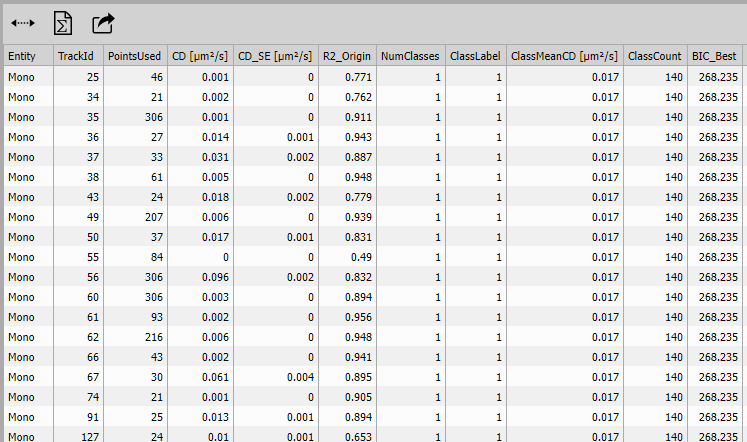
Task: I want to find out if there is one or more classes in the input table based on the coefficient of diffusion (CD). Calculate the CD from MSDs. Note that one TrackId has more than one row. Can you help me with that?
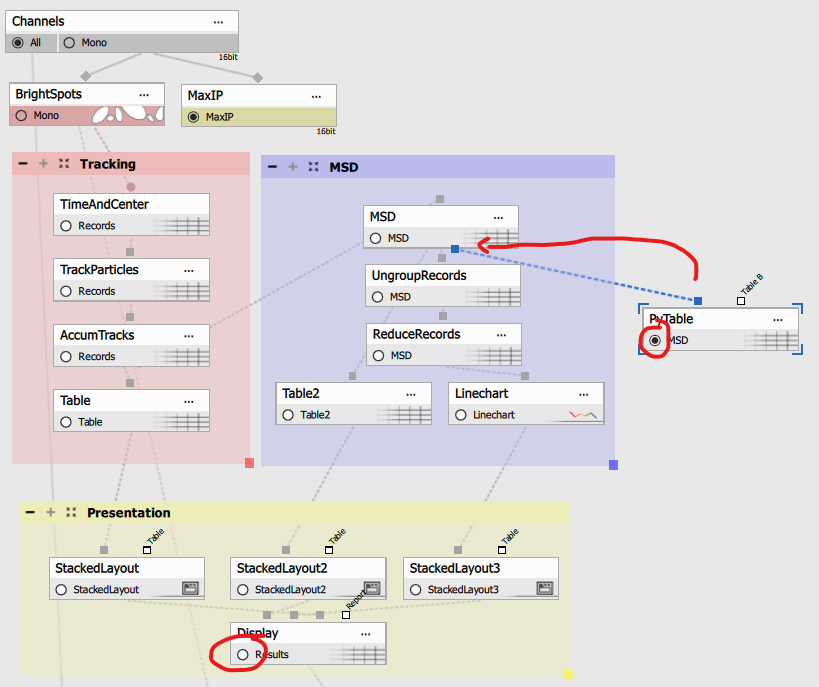
The python create table is connected to the MSD table in the Single particle tracking example as follows:
Thought for 1m 13s
ChatGPT 5 produced following answer:
[
  {"name": "Entity", "type": "text", "unit": null},
  {"name": "TrackId", "type": "int", "unit": null},
  {"name": "PointsUsed", "type": "int", "unit": null},
  {"name": "CD", "type": "number", "unit": "µm²/s"},
  {"name": "CD_SE", "type": "number", "unit": "µm²/s"},
  {"name": "R2_Origin", "type": "number", "unit": null},
  {"name": "NumClasses", "type": "int", "unit": null},
  {"name": "ClassLabel", "type": "int", "unit": null},
  {"name": "ClassMeanCD", "type": "number", "unit": "µm²/s"},
  {"name": "ClassCount", "type": "int", "unit": null},
  {"name": "BIC_Best", "type": "number", "unit": null}
]
Python code is too long (150 lines) to reproduce here.
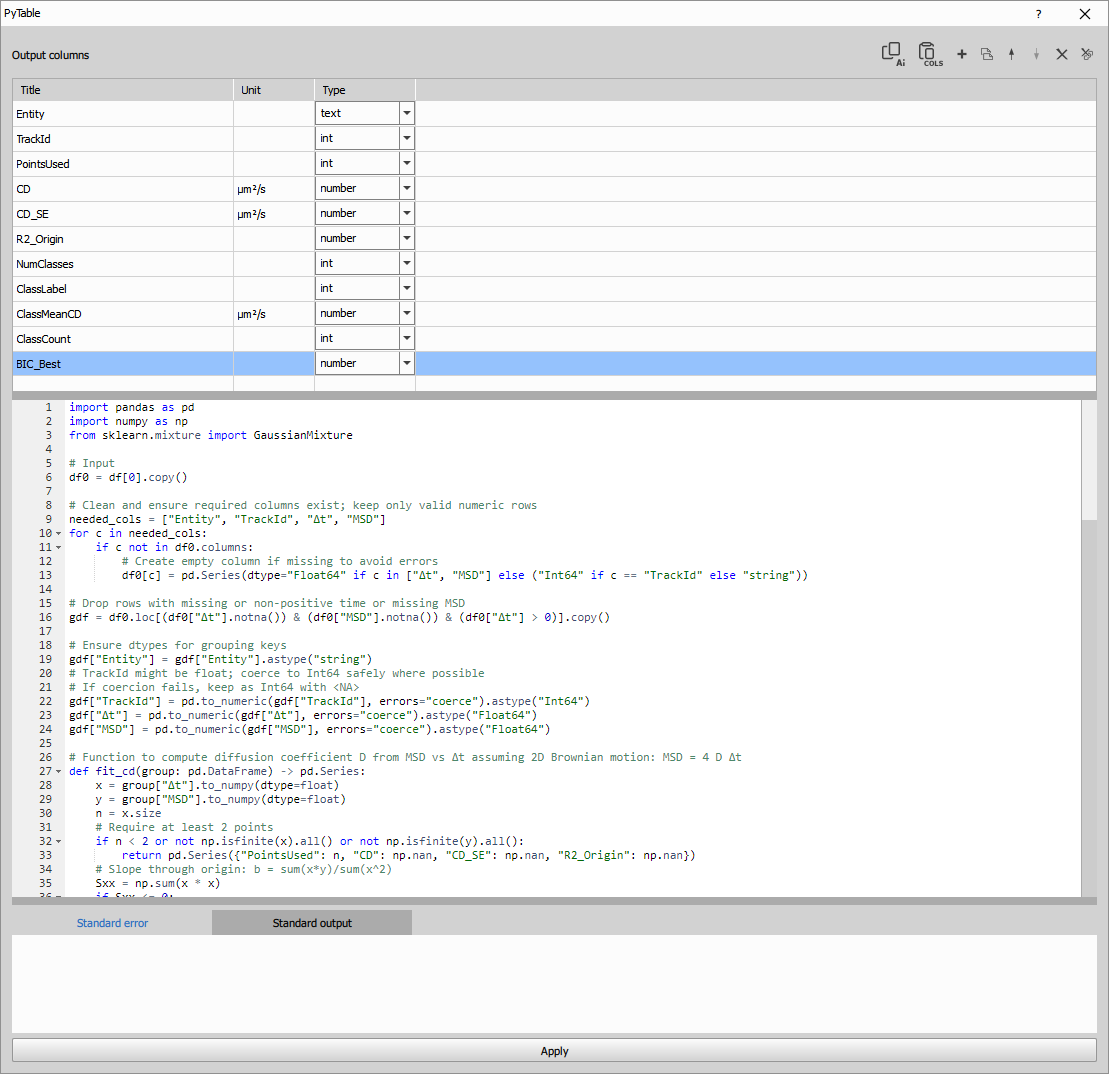
From the CD per track it is clear that there is only one class:
Parameters
See also: Python
JavaScript
JS Create Column
NOTE: This node is deprecated in favor of the Python Create Column node.
Define one or more new columns and calculate its data using JavaScript.
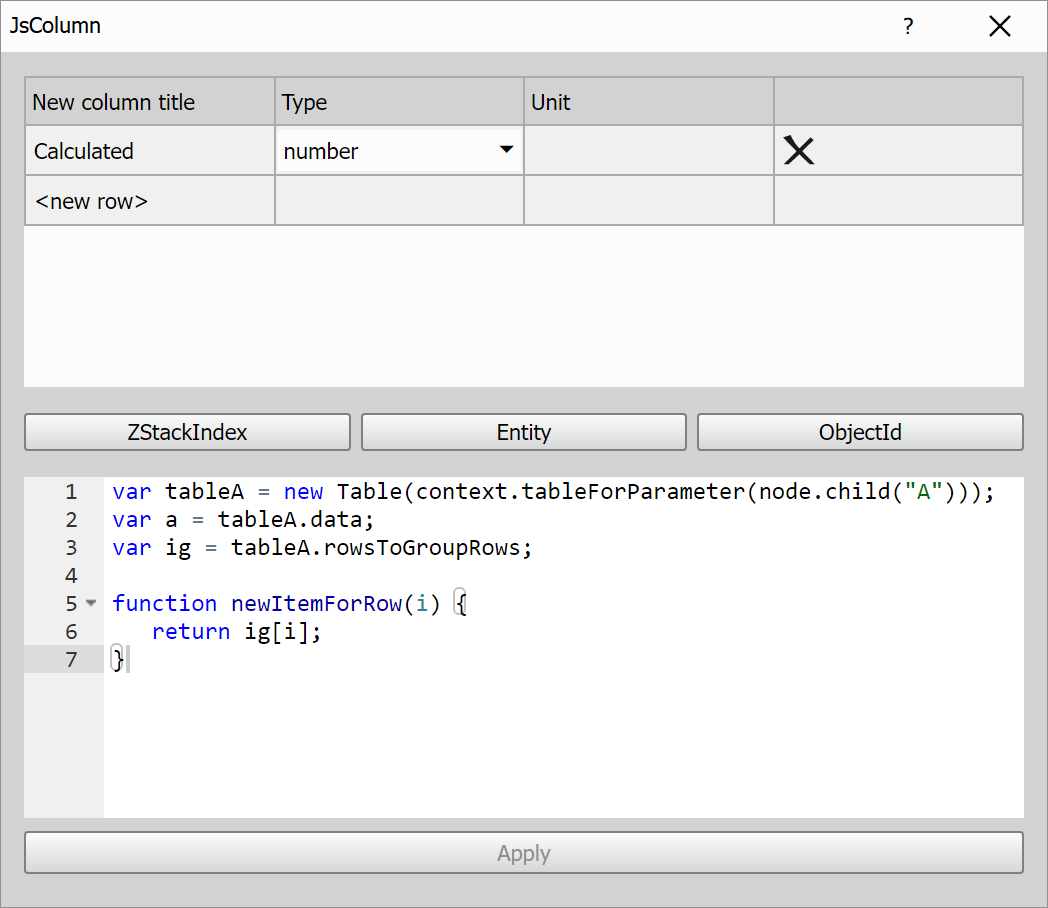
In the upper table, you can define new columns by specifying their name, type, and unit.
To reference columns from the input table in your JavaScript code, simply click the button with the column name. This will insert a variable declaration with the appropriate column index. For example, clicking on the ZStackIndex column will insert:
var ZStackIndexIndex = tableA.colIndexById("_loopZStackIndex"); //ZStackIndex
This variable holds the index of the input column and can be used to access its values in your script, e.g.:
var tableA = new Table(context.tableForParameter(node.child("A")));
var a = tableA.data;
var ig = tableA.rowsToGroupRows;

var ZStackIndexIndex = tableA.colIndexById("_loopZStackIndex"); //ZStackIndex

function newItemForRow(i) {
   return a[ZStackIndexIndex][i];
}
Input table is already accessible as tableA variable of Table class.
The Table class wraps the input table data and metadata.
It provides methods to access columns, rows, groupings, and statistics.
Methods and properties of the Table class
Properties
tableName
**:string` Name of the table.tableMetadata
**: objectFull metadata of the table.colIdList
**:string[]` List of internal column IDs.colTitleList
**:string[]` Visible column titles.colMetadataList
**:object[]` Metadata for each column.data
**:any[][]` Column-major 2D array of values.dataRowList
**:any[][]` Transposed version for row-wise access.colCount
**:number` Total number of columns.rowCount
**:number` Total number of rows.
Column Lookup
colIndexById(
**id: string**)**:number`colIndexByTitle(
**title: string**)**:number`colIndexByFeature(
**feature: string**)**:number`colIndexByFullText(
**text: string**)**:number` Looks up a column by ID, title, or both.matchColsFulltext(
**param: string | RegExp | string[]**)**:number[]` Returns indices of matching columns.
Grouping & Sorting
groupedBy
**:number[]` Indices of columns used for grouping.orderedBy
**:number[]` Indices of columns used for sorting.groups
**:number[][]` List of row indices grouped by column values.rowsToGroupIds
**:number[]` For each row, the corresponding group ID.rowsToGroupRows
**:number[]` For each row, its index within its group.
Column Info Access
colIdAt(
**index: number**)**:string`colMetadataAt(
**index: number**)**:object`colTitleAt(
**index: number**)**:string`colUnitAt(
**index: number**)**:string`colTitleAndUnitAt(
**index: number, sep = " "**)**:string`colDecltypeAt(
**index: number**)**:string`colIsNumericAt(
**index: number**)**:boolean`listColIds(
**filter?: (id: string) => boolean**)**:string[]`listIdentColIds()
**:string[]`
Column Data & Stats
colDataAt(
**index: number**)**:any[]` Returns raw values from the specified column.colDataStatsAt(
**index: number, stats: string[]**)**:(number | null)[]` Returns requested statistics:"total"– all values including nulls"count"– non-null values"sum","mean","min","max""stdev"– standard deviation
For each table row function newItemForRow(i) is called. It expects to return either single value or array.
If you have defined multiple columns in upper table it expects to return array only.
Creating column with indices of rows
| |
Creating column with indices of rows per group
| |
Creating column with time delta
| |
Creating column with cumulative sum
| |
Creating column with mean of column data
| |
Creating column with group mean of column data
| |
JS Create Table
NOTE: This node is deprecated in favor of the Python Create Table node.
Creates a new table by combining one or more existing tables (table inputs A, B, …). All output table columns must be defined in the node dialog column list table:
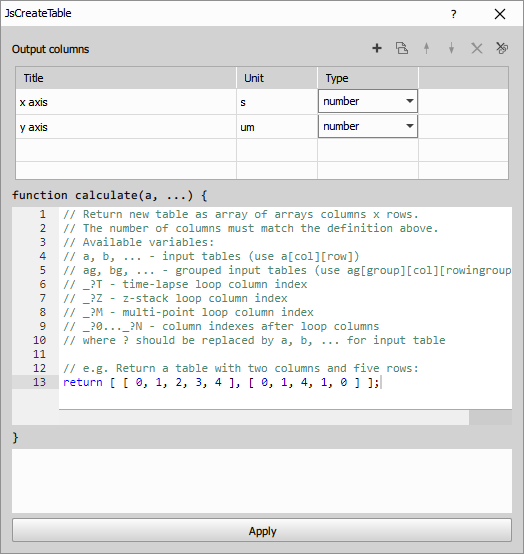
The code contains a quick reference of predefined variables:
| |
The expected output is the data of the new table (an array of arrays columns x rows). The number of columns must match the number of defined columns. And the number of rows must be equal for all columns.